Easier than paper. Clearer for your doctor.
Bipilo replaces the notebook by the blood pressure monitor: type two readings in the morning and two in the evening, tick off your pills on the same screen, and hand your doctor a tidy PDF at your next visit.
Get it on Google PlayFree with ads · no account · your readings stay on your phone
Bipilo does not measure blood pressure. You type in the numbers from your own monitor. It is a record-keeping tool, not a medical device, and it does not give medical, diagnostic or dosing advice. Talk to your doctor about your readings and your medicines.
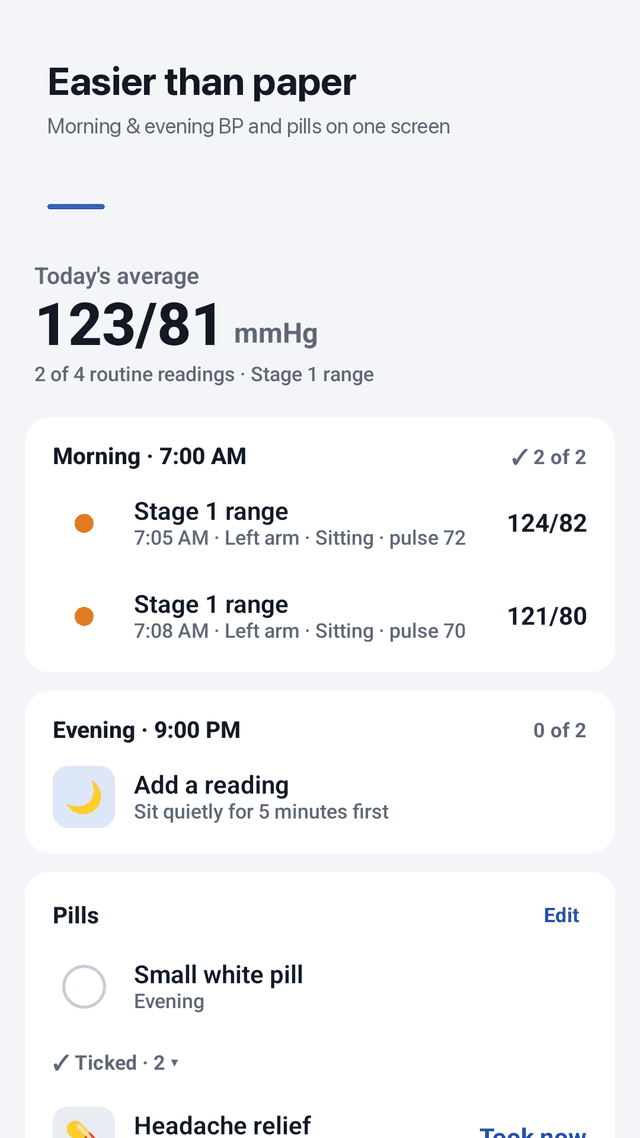
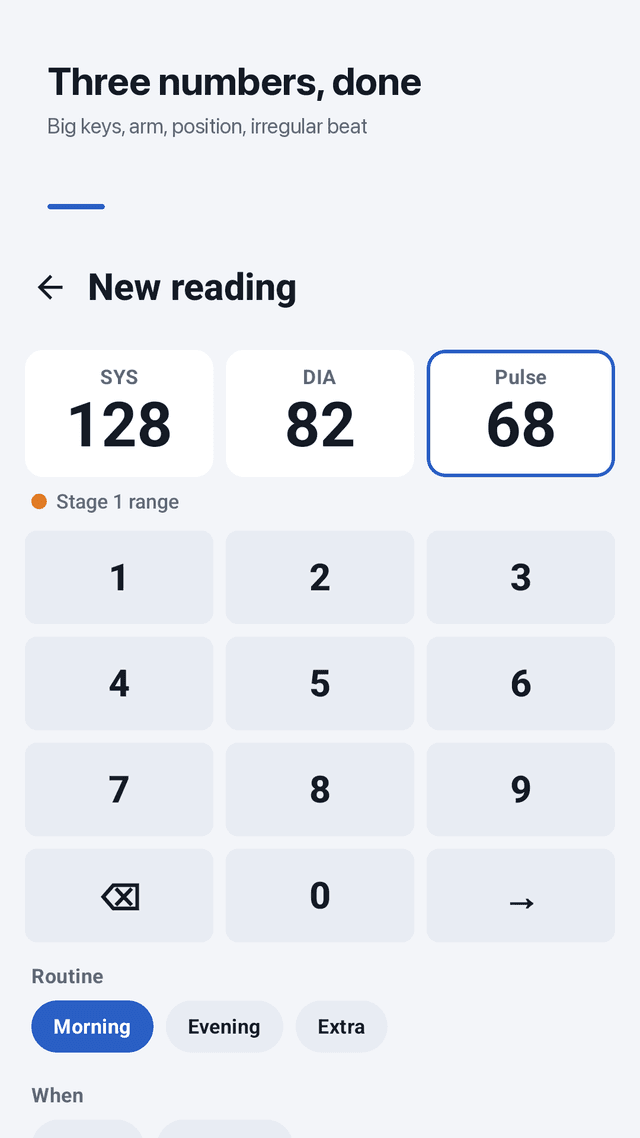
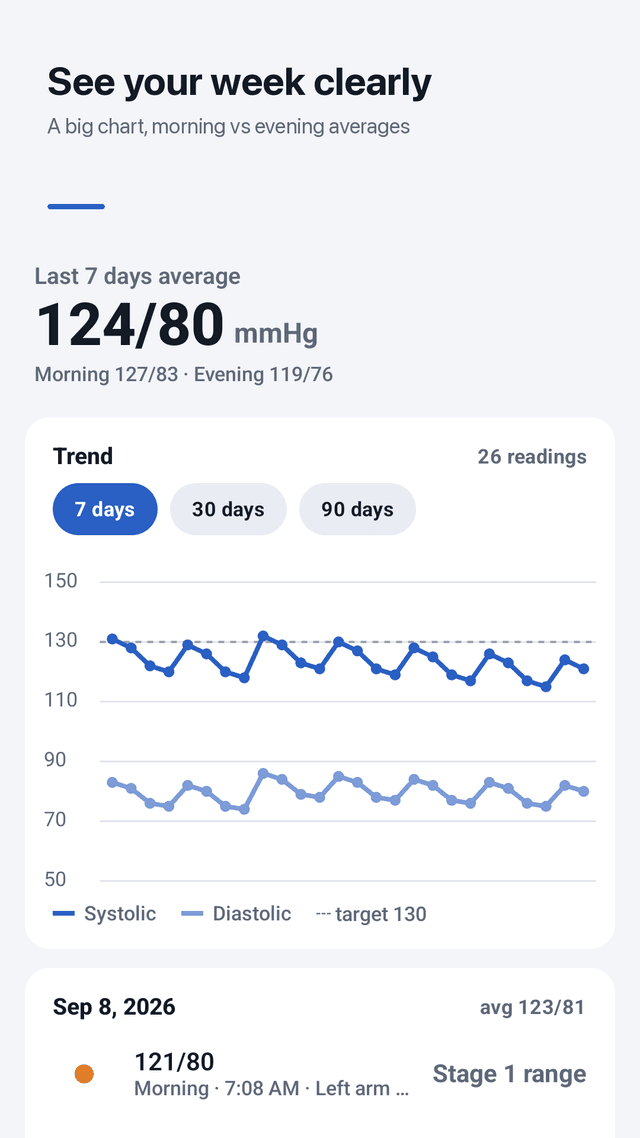
Bipilo is an Android blood pressure and pill log for the home routine many doctors ask for: two readings in the morning and two in the evening. The Today screen shows a morning slot and an evening slot (1 of 2, 2 of 2, done) and your daily pills right underneath, so you tick them off while you write your numbers. Big number keys take systolic, diastolic and pulse; you can add the arm, sitting or lying, an irregular heartbeat mark and a short note, and extra readings (for example when you feel dizzy) are kept separately. Pills you take only as needed get a "Took now" button that shows the last time and can be undone. A 7-day home check fills a simple grid of mornings and evenings; day 1 counts as a warm-up and the week average uses days 2 to 7. When your appointment comes, make a PDF report for 7, 14, 30 or 90 days, your home week or a custom start date, with morning and evening averages, highest, lowest, pills ticked, a large chart and a day-by-day table, or send a short text summary. There is no account: readings stay on your phone, and you can export or import a CSV file. A home screen widget and optional reminders at your own times help you keep the routine. Ranges follow the AHA/ACC 2017 table, with the source linked in the app.
Morning and evening slots
Today shows two readings for the morning and two for the evening: 1 of 2, 2 of 2, done. No guessing what is left.
Three numbers and save
Big keys for systolic, diastolic and pulse. Add the arm, sitting or lying, an irregular heartbeat mark and a note if you like.
Pills on the same screen
Add your daily pills by the name you use, for the morning, evening or both, and tick them off next to your readings.
As-needed pills, one tap
Tap "Took now" and see when you last took one. Made a mistake? Undo.
A 7-day home check
Start a home week and fill a grid of mornings and evenings. Day 1 is a warm-up; the average uses days 2 to 7.
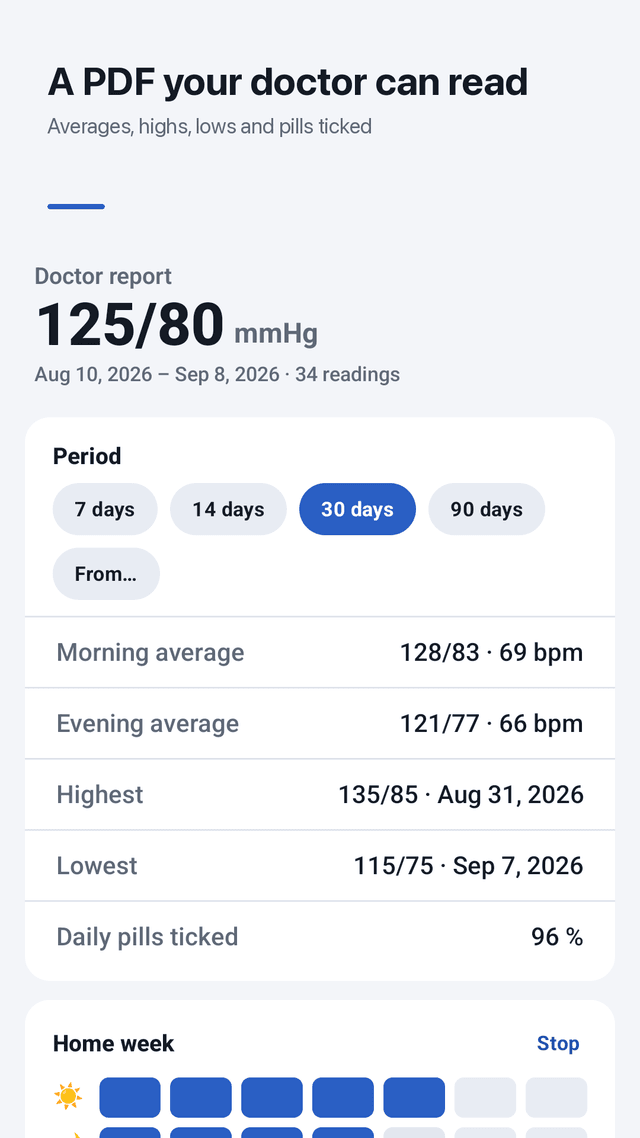
A report your doctor can read
PDF for 7, 14, 30 or 90 days or a custom date: morning and evening averages, highest, lowest, pills ticked %, a large chart and a day-by-day table.
Your data stays with you
No account. Readings live on your phone. Export a CSV backup, open it in a spreadsheet or import it on a new phone.
Widget and gentle reminders
See today's morning and evening progress on the home screen and add a reading with +. Reminders come at your times, or not at all.
FAQ
- How do I make a blood pressure report for my doctor?
- Open the Report tab, pick 7, 14, 30 or 90 days, your home week or a custom start date, and tap Make PDF. The report shows morning and evening averages, highest, lowest, pills ticked, a large chart and a day-by-day table. Share it by email or any messenger, or print it.
- Does Bipilo measure my blood pressure?
- No. Bipilo cannot measure blood pressure. Take your reading with your own blood pressure monitor and type the numbers in. Bipilo is a log, not a medical device.
- Why record blood pressure in the morning and in the evening?
- Many doctors ask for both because readings can differ during the day. Bipilo keeps morning and evening apart and shows each average separately. Ask your doctor what times and how many readings suit you.
- How do I take home blood pressure readings for a week?
- Start a home week on the Report tab. For 7 days, add morning and evening readings; a grid shows what is done. Day 1 counts as a warm-up, and the average uses days 2 to 7. Follow your doctor's instructions if they are different.
- Can I log pills I only take as needed?
- Yes. Add them as as-needed pills, then tap "Took now" when you take one. Bipilo shows the last time and lets you undo. It does not tell you when or how much to take.
- How do I keep my readings if I change phones?
- Export a CSV file in Settings, move it to the new phone and import it there. You can also open the CSV in a spreadsheet.
- Do I need an account?
- No. There is no sign-up and readings are stored on your phone.
- Is Bipilo free? Are my readings used for ads?
- Bipilo is free and shows ads. Your blood pressure readings and pill names are never used for ads.
Guides
Blood pressure ranges in Bipilo follow the AHA/ACC 2017 table. Source: American Heart Association — Understanding blood pressure readings
Bipilo is a blood pressure and pill log; your readings stay on your phone. It does not measure blood pressure and does not replace your doctor. Ads are shown by Google AdMob inside the app.