Quick notes that are actually quick.
Bujolane is a light bullet journal: pick a symbol, write one line, move what is left in one tap, and watch your habits fill the month with dots.
Get it on Google PlaySupported by ads · no account · no templates to fill in · your data stays on your phone
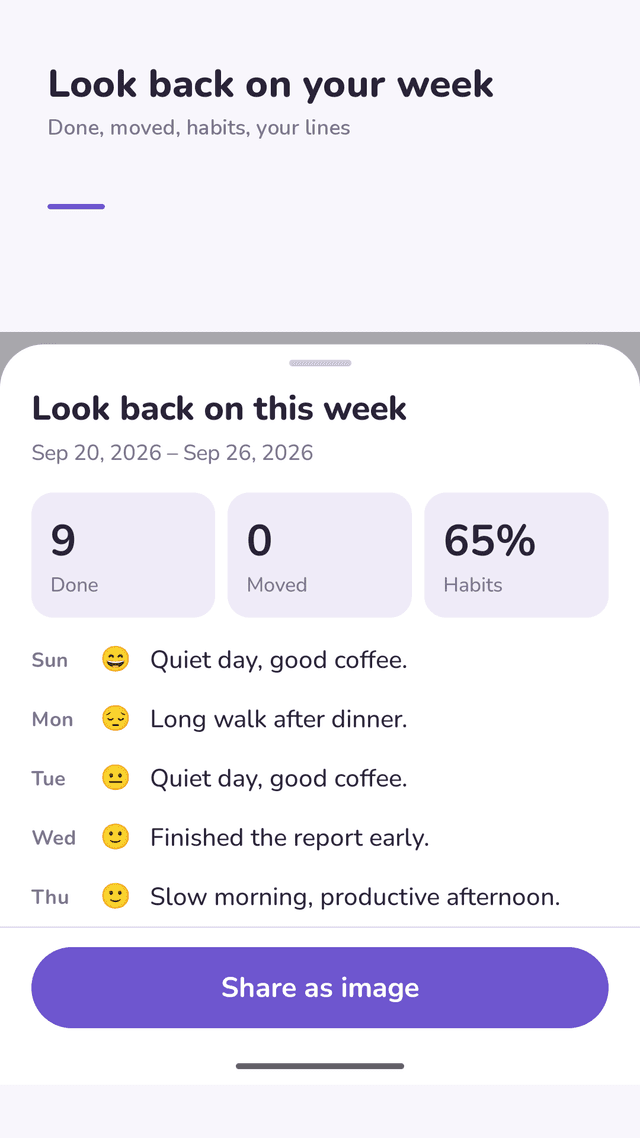
Bujolane is an Android bullet journal app for people who want to write their day down fast instead of decorating a page. Each line starts with a symbol: • for a task, ○ for an event and – for a note. Tap a task to mark it done (×), tap again to undo, and long-press any line to edit it, change its date or delete it. Tasks left from earlier days wait at the top of Today; one tap moves them to today and the old line turns into >. The monthly view is a full 7-column calendar that fits a phone screen, with dots for events, tasks left and tasks done, and you can add tasks and events to any future date. The habit tracker holds up to 8 habits, each checked in one tap and shown as a row of dots for the month. Each day can also get one line (up to 140 characters) and a mood emoji, which appears on the calendar. A weekly look-back card shows tasks done, tasks moved, your habit rate and your daily lines, and you can share it as an image. A Today's tasks widget lets you check off a task from the home screen, and optional morning and evening reminders arrive at times you pick. There is no account: everything stays on your phone, and you can export a backup file and import it on a new phone.
Rapid log in one line
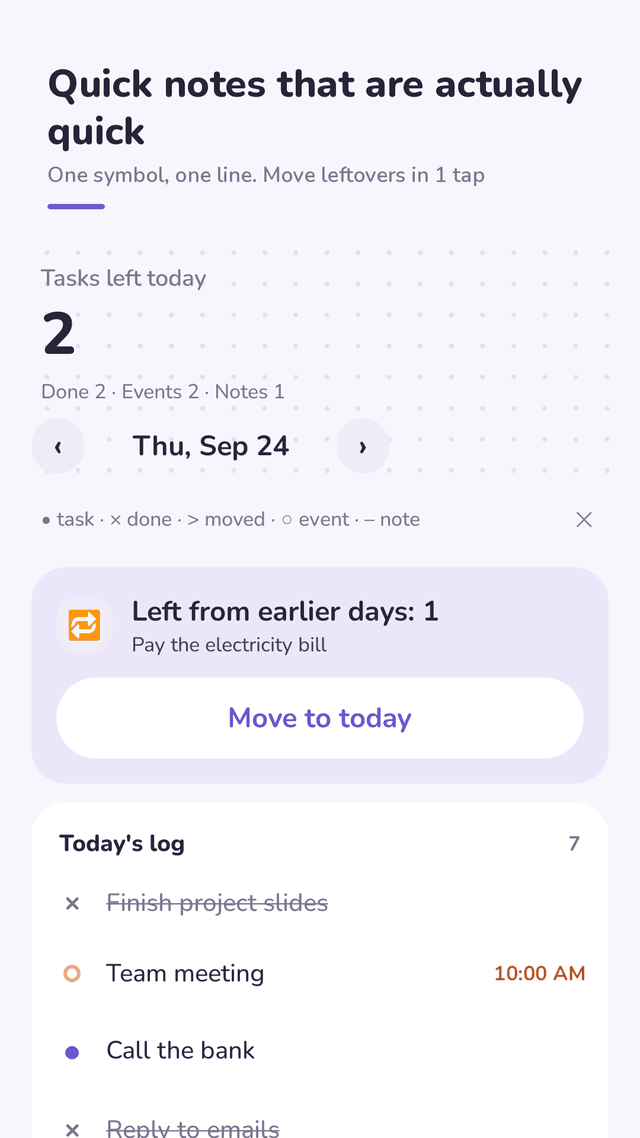
Three symbols: • task, ○ event, – note. Type, press enter, keep going. No templates to fill in.
Tap to finish, tap to undo
A tapped task turns into ×. Tap again to undo. Long-press to edit, change the date or delete.
Move what is left in one tap
"Left from earlier days" waits at the top of Today. One tap moves them, and the old line becomes >.
A month that fits your screen
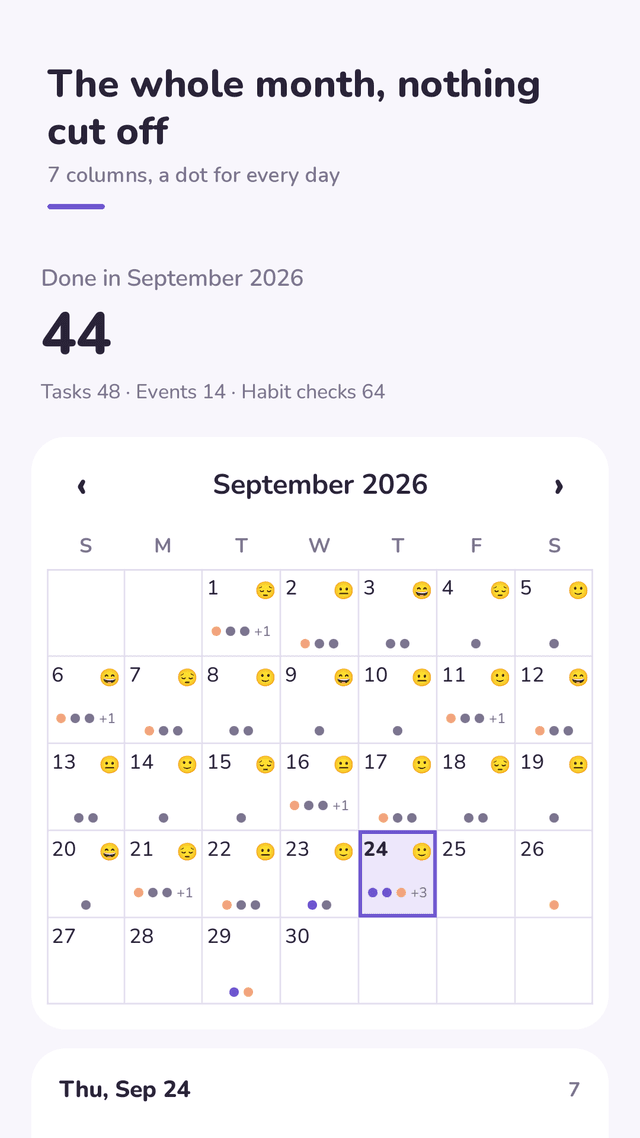
A full 7-column calendar with dots for events, tasks left and tasks done. Plan ahead on any future date.
Habits as monthly dots
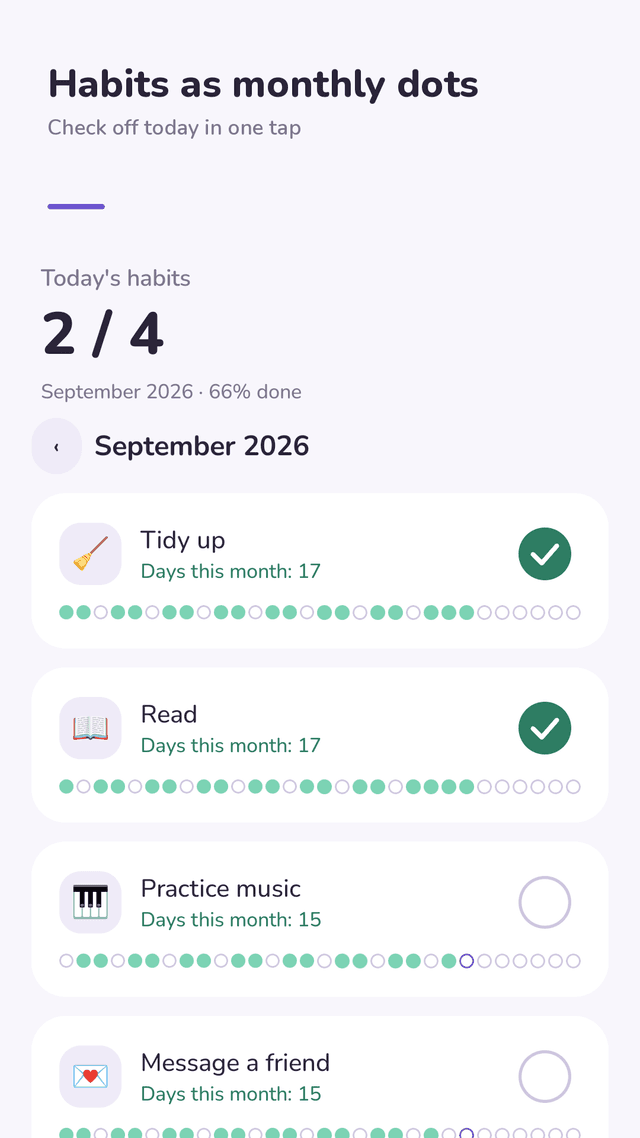
Up to 8 habits, each with its own emoji. Check today in one tap and see the month as a row of dots.
One line a day
How was today? A mood emoji and up to 140 characters. The mood shows on your calendar.
Look back on your week
Done, moved, habit rate and your daily lines on one card. Share it as an image.
Today's tasks widget
Your to-do list on the home screen. Tap a line to check it off without opening the app.
FAQ
- What do the bullet journal symbols mean in Bujolane?
- • is a task, × is a task you finished, > is a task you moved to another day, ○ is an event and – is a note. A short key sits at the top of Today and in Settings.
- How do I move unfinished tasks to today?
- Tasks left from earlier days appear in a card at the top of Today. Tap "Move to today" and they move; the old lines turn into >.
- Can I untick a task I marked done by mistake?
- Yes. Tap the line again and it goes back to •.
- Do I need an account?
- No. There is no sign-up. Your journal stays on your phone.
- How do I keep my journal if I change phones?
- Export a backup file in Settings, move it to the new phone and import it there.
- Does the widget let me check off tasks?
- Yes. The Today's tasks widget shows what is left today, and tapping a line marks it done without opening the app.
- Will it remind me?
- If you want. You can turn on a morning list of tasks left and an evening prompt for your one line, at times you pick. Everything works with reminders off.
- Can I draw or add stickers?
- No. Bujolane is a writing-first bullet journal: symbols, short lines, habits and a monthly calendar. That keeps it light and quick to open.
Guides
Bujolane is a bullet journal and planner; your entries stay on your phone. Ads are shown by Google AdMob inside the app.