Know your balance on any day — before it happens.
Daypurse is a budget calendar. Put your paydays, bills and daily spending on it, and every date shows what you will have left at the end of that day.
Get it on Google PlaySupported by ads · no subscription · no bank link · no account
Daypurse does not connect to your bank, cards or text messages, and it does not ask you to sign up. Every feature is included, including as many separate budgets as you like, and your budget stays on your phone.
Daypurse is a budget calendar app for Android that shows your projected balance on every day of the month. You enter the money you have now once, add your paycheck and regular bills with a repeat (every day, week, 2 weeks, month or year, with an optional end date), and log spending as it happens. Daypurse does the day-by-day math, so the number under each date is the balance you will have at the end of that day. It also shows a month-end forecast, warns you which day your balance would drop below zero, and lists every bill and payday in the next 30 days with the balance after each one. There is no bank link and no account; data stays on the phone and can be saved to a backup file or exported to CSV.
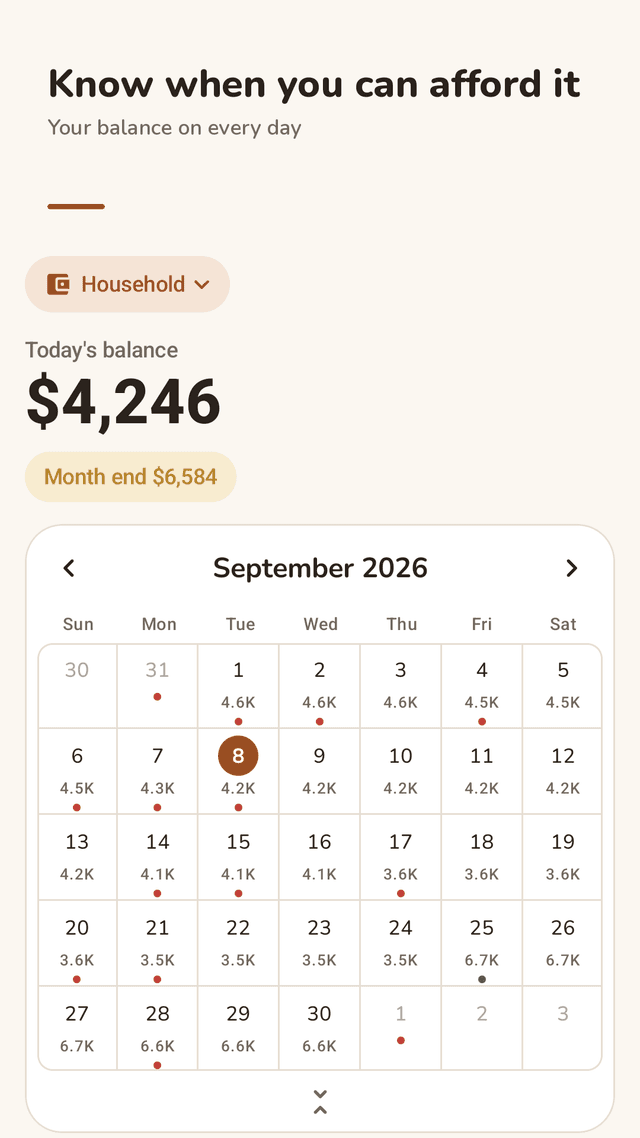
Balance on every day
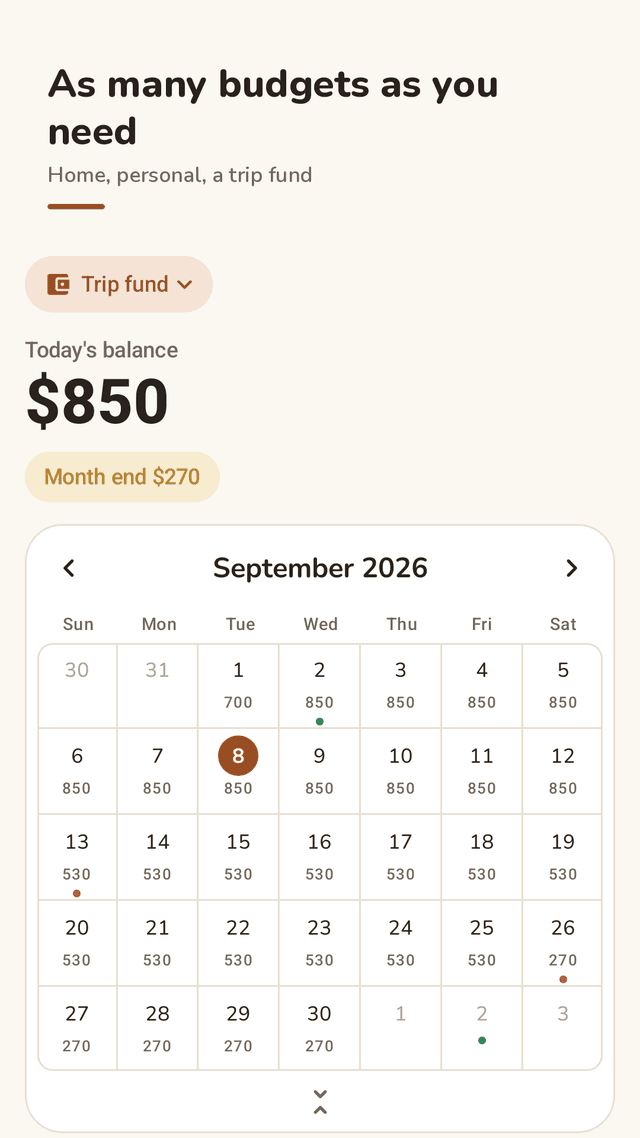
A monthly calendar with your closing balance under each date, and today’s balance in big numbers at the top.
Month-end forecast
See where your balance lands on the last day of the month, before the month is over.
Below-zero warning
If your balance would drop below zero, Daypurse tells you which day and which entry causes it.
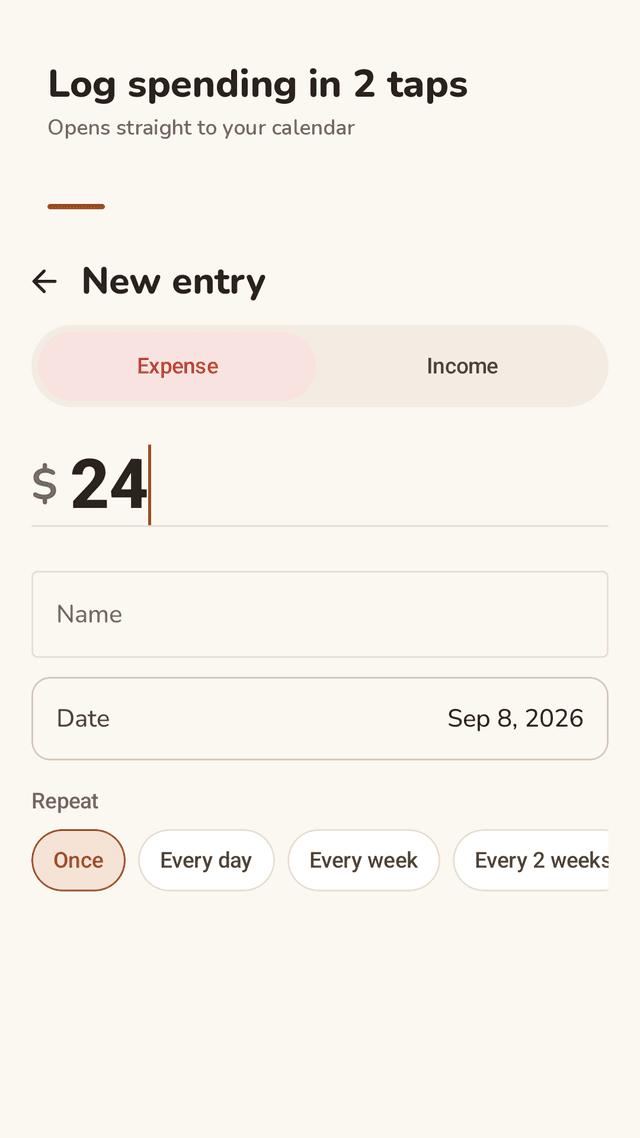
Recurring income and bills
Repeat every day, week, 2 weeks, month or year, with an optional end date. Change only this one, or this one and everything after it.
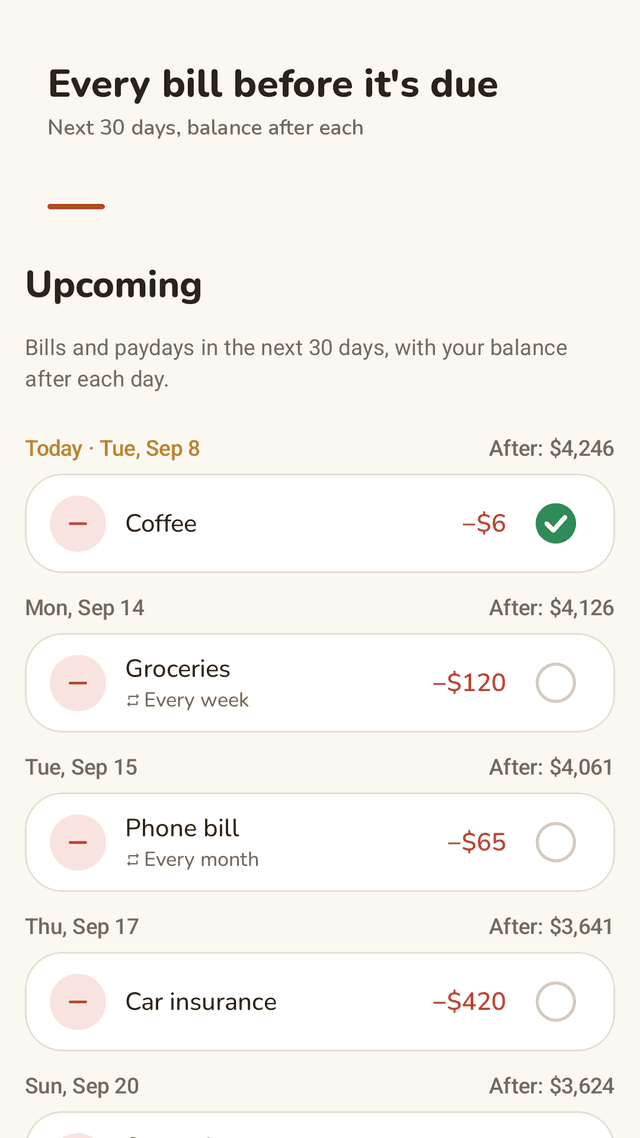
Upcoming 30 days
Every bill and payday in the next 30 days in one list, with your balance after each day. Tick off a bill when it is actually paid.
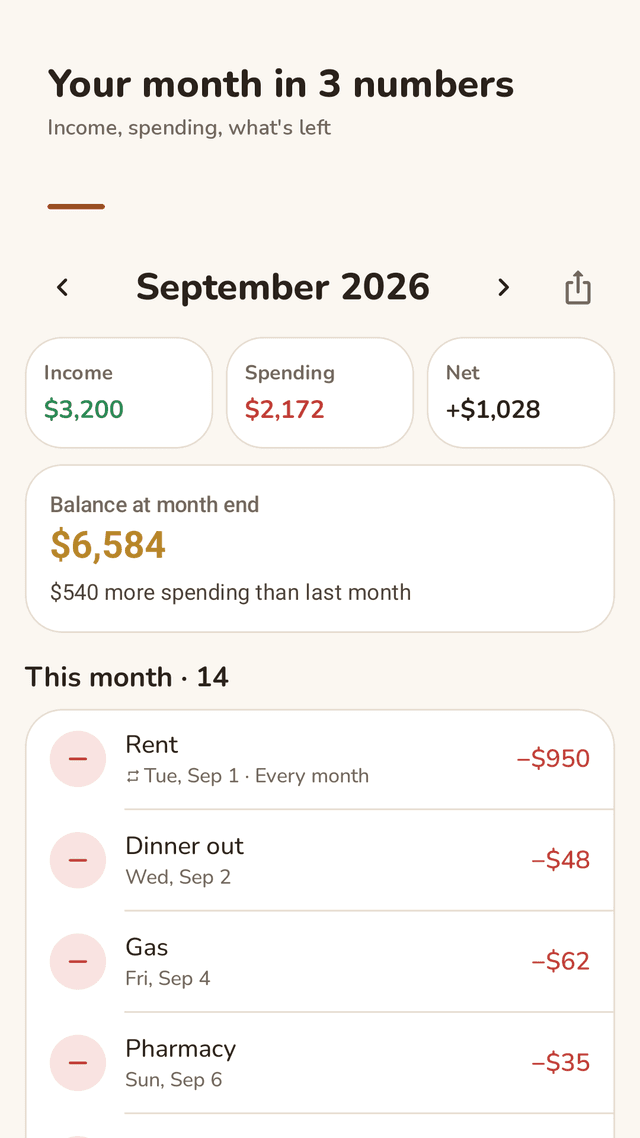
Monthly summary
Income, spending, net and month-end balance, compared with last month.
Separate budgets, no extra cost
Household, personal, a trip fund or a shared house. Make as many budgets as you like.
Backup, CSV and widget
Save everything to a backup file and restore it on a new phone, export to CSV for Excel or Google Sheets, and see today’s balance on a home screen widget. Works with any currency.
FAQ
- Can I see what my balance will be on a future date?
- Yes. Tap any date on the calendar, next week or next month, and Daypurse shows the balance you will have at the end of that day after every payday and bill before it.
- Does it connect to my bank account?
- No. Daypurse does not link to banks or cards and does not read text messages. You start from your current balance and add entries yourself.
- Can I add recurring bills like rent and subscriptions?
- Yes. Any income or bill can repeat every day, week, 2 weeks, month or year, with an optional end date. You can edit only one occurrence or that one and all later ones.
- Can I keep more than one account or budget?
- Yes, as many as you like at no extra cost: for example household, personal spending, a trip fund or a budget you share with a partner.
- How do I move my budget to a new phone?
- Save a backup file from settings to a place you choose (such as Google Drive), then open it on the new phone with restore. You can also export entries to CSV.
- What if my income is different every week?
- Add each paycheck as it is scheduled, or as a weekly or 2-weekly repeat and adjust single occurrences. The calendar updates every later day automatically.
- Is there a subscription? Are there ads?
- There is no subscription and nothing is locked. Daypurse is supported by ads instead.
Guides
Daypurse is a personal record-keeping tool, not financial advice. Balances are calculated only from the entries you add and may differ from your bank’s actual balance.