See how much time is left.
Dialune turns a countdown into a dial that shrinks while you work. Read it from across the room, chain steps into routines, and start a timer from your home screen in one tap — built for time blindness, deep work and busy mornings.
Get it on Google PlayNo account · timers stay on your phone · works offline
A dial you read in one second
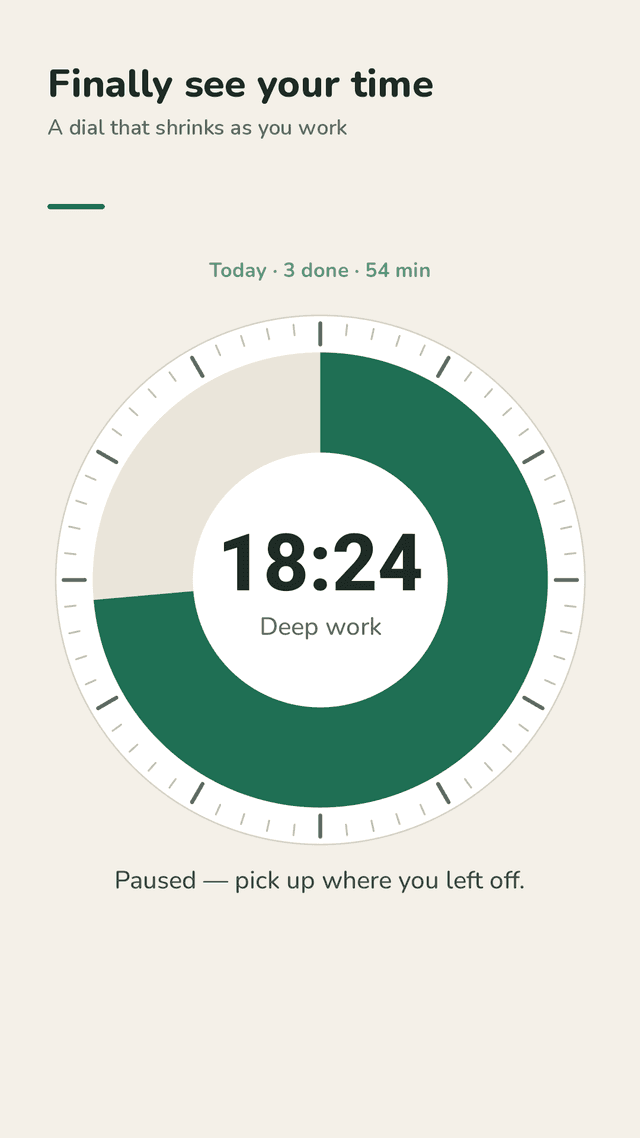
Drag the dial to set a time and tap Start. The colored slice shrinks as time passes and turns amber in the last stretch.
Keeps going when you leave
Switch apps, rotate or lock the screen — the timer keeps running, the notification shows a live countdown, and the alarm still rings when it ends.
Routines that run themselves
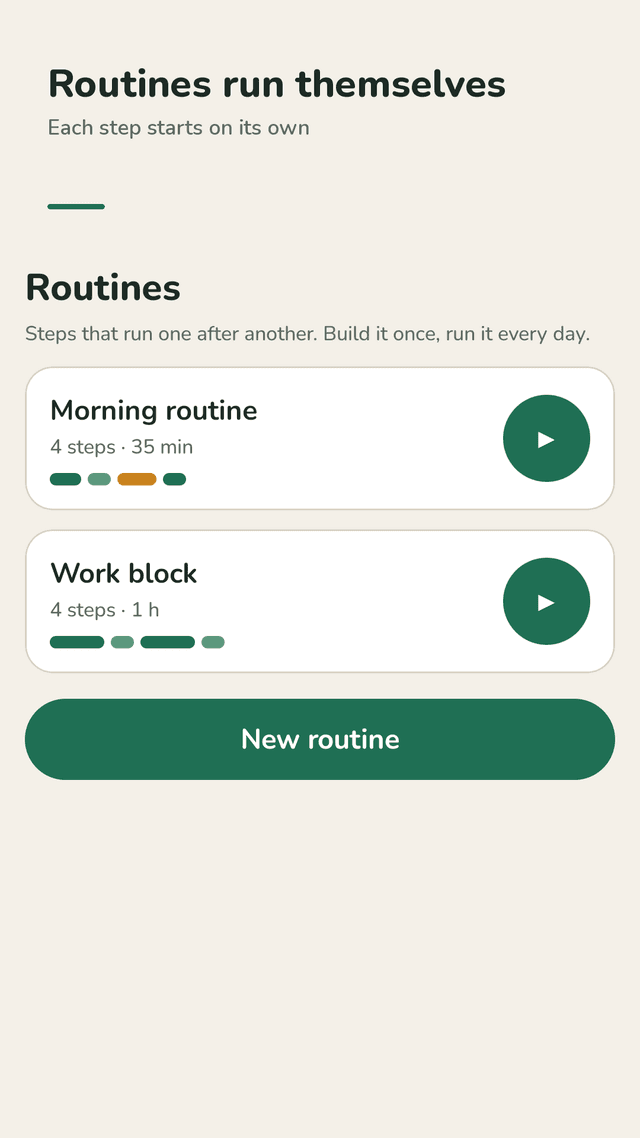
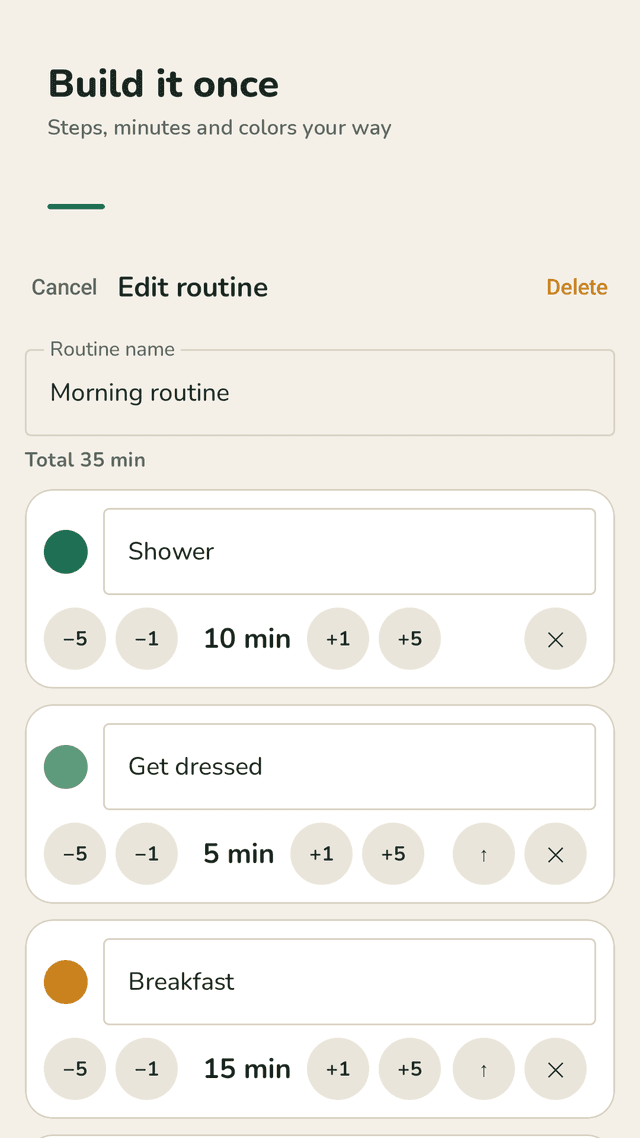
Chain steps like Shower 10 · Breakfast 15 · Shoes and keys 5. The next step starts by itself, and at the end you see planned vs. actual time.
Gentle end sounds
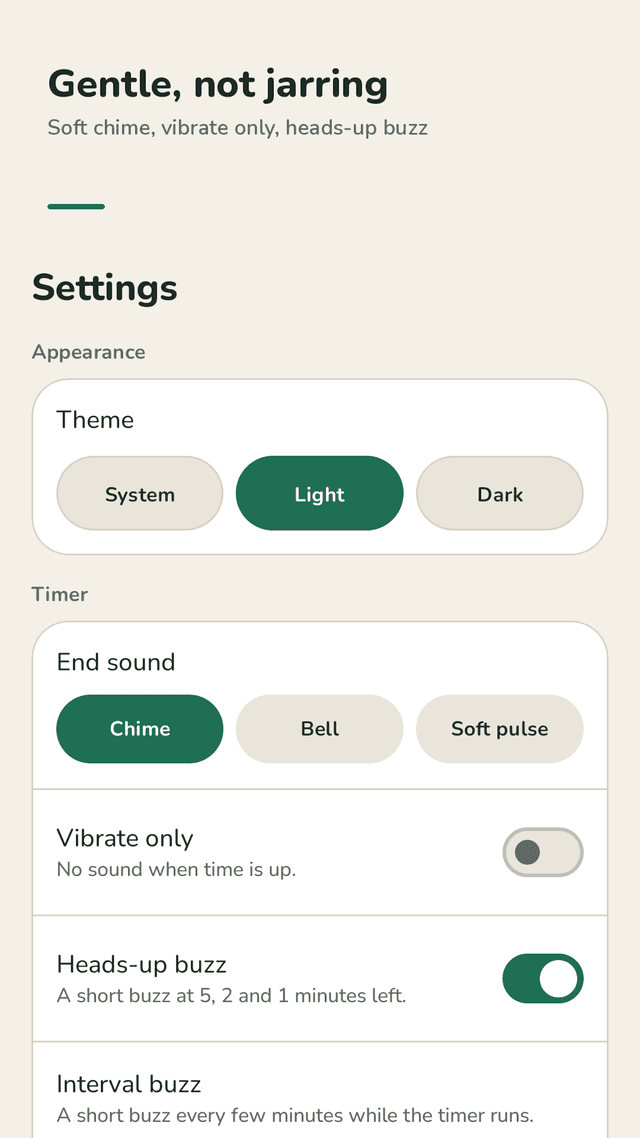
Pick a soft chime, a bell or a pulse, or switch to vibration only. No jarring alarm.
Heads-up and interval buzz
A short buzz at 5, 2 and 1 minute left, and an optional nudge every 5, 10 or 15 minutes to pull you back on task.
One-tap home screen widget
Start your top presets without opening the app. While a timer runs, the widget shows the countdown and a Pause button.
Presets up to 12 hours
Save the times you use most. Long study blocks and two-hour chores fit — not just 60 minutes.
Screen stays on
Keep the screen awake while a timer runs so the dial stays visible on your desk or kitchen counter.
FAQ
- Does the timer keep running if I leave the app?
- Yes. Dialune saves the end time, not a running counter, so switching apps, rotating the phone or locking the screen does not reset it. A notification shows the countdown.
- Can I turn off the sound and only vibrate?
- Yes. In Settings turn on Vibrate only. You can also choose between a soft chime, a bell and a pulse.
- Can it buzz before the time is up?
- Yes. Heads-up buzz gives a short vibration at 5, 2 and 1 minute left. Interval buzz can vibrate every 5, 10 or 15 minutes while the timer runs.
- Can I set timers that follow one another?
- Yes. Build a routine from steps. When one step ends the next one starts on its own.
- Is there a widget?
- Yes. Add the Dialune widget to your home screen and tap a preset to start. It shows the time left and lets you pause.
- Can I set more than 60 minutes?
- Yes. Single timers and routine steps go up to 12 hours.
- Is Dialune made for ADHD?
- Many people with ADHD and time blindness use visual timers to see time pass. Dialune is a productivity tool, not a medical treatment.
- Is Dialune free?
- Yes. It is supported by ads. No sign-up and no subscription. No full-screen ad appears while a timer is running.
Guides
Dialune is an independent app. It is a productivity tool and does not diagnose or treat any condition. Dialune is supported by ads.