
Know every renewal before you're charged.
All your subscriptions on one payment calendar, real totals per week, month or year, and a heads-up before each payment. Add them by hand in seconds. No login, no bank link, no limit on how many.
Get it on Google PlaySupported by ads · no account · no bank connection
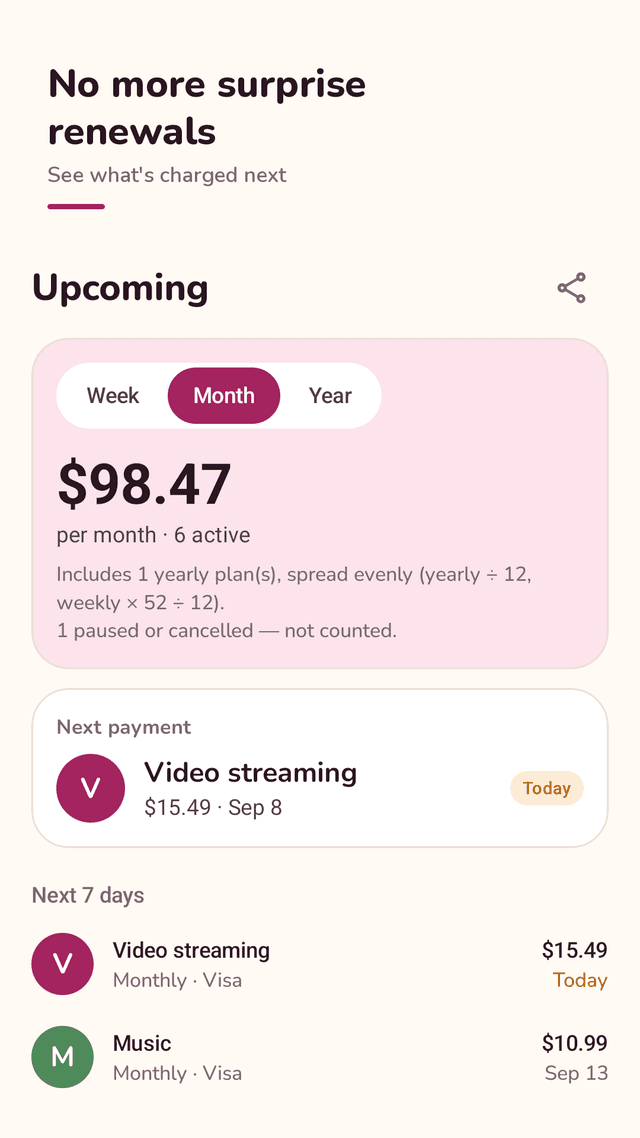
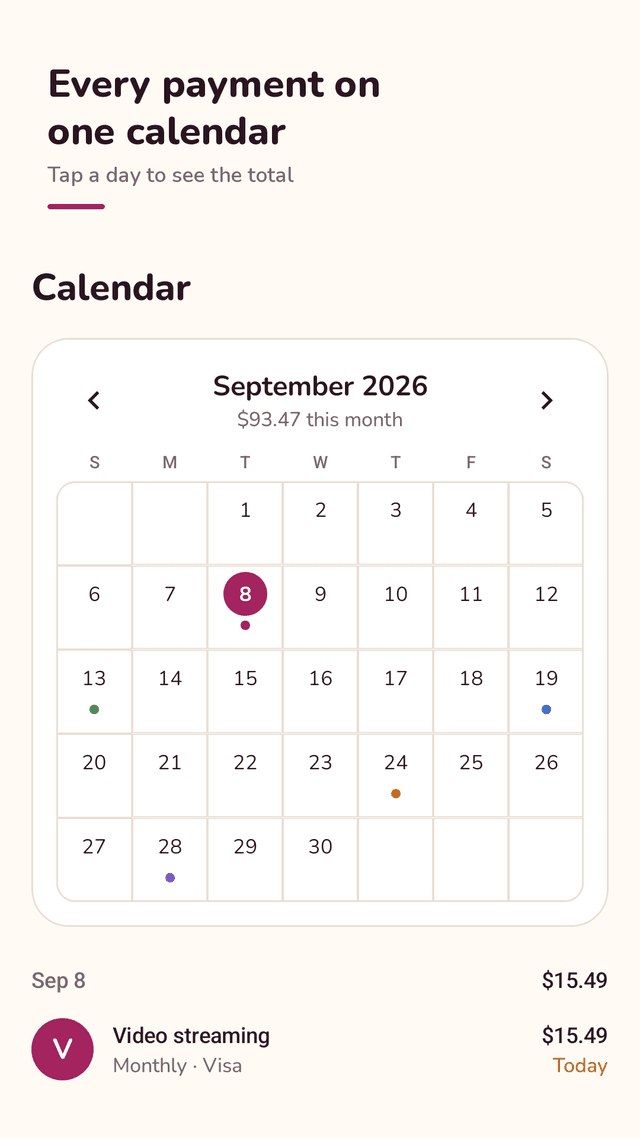
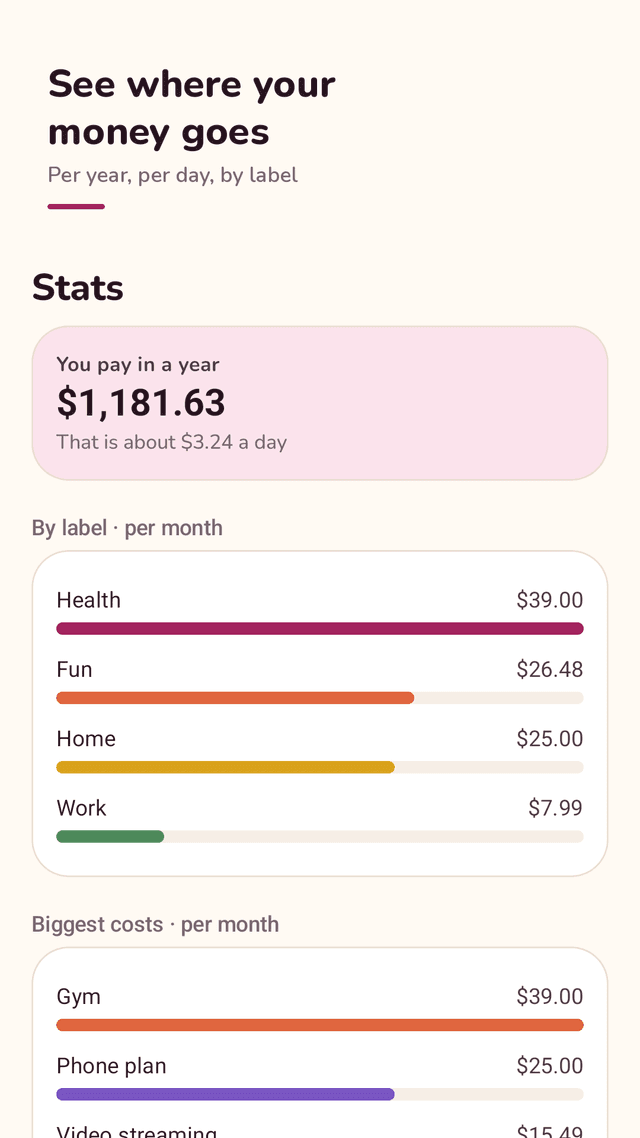
Dueberry is an Android app for keeping track of subscriptions and recurring bills. You add each one by hand: name, amount, currency, how often it repeats (every N days, weeks, months or years), the first payment date, and optionally the date a free trial ends, a label, a payment method and a note. From that, Dueberry works out every upcoming payment date. The Upcoming tab shows your total per week, month or year — yearly plans are spread evenly as yearly ÷ 12 and weekly plans as weekly × 52 ÷ 12 — then your next payment and lists for the next 7 days, later this month and later. The Calendar tab shows each month with a colored dot on every payment day; tap a day to see what gets charged and that day's total. The Stats tab shows what you pay in a year, the average per day, totals by label and your biggest monthly costs. A morning notification reminds you on the day or 1, 2, 3 or 7 days before a payment, with one default for everything and an override per subscription, and also before a free trial ends. You can mark a subscription as paused or cancelled: it stays in your list but leaves your totals, and the stats show what you save per year. A home screen widget shows your next payment and what is left to pay this month. Your list stays on your phone; you can save it to a backup file and restore it later. Dueberry does not connect to your bank, does not find subscriptions automatically and does not cancel them for you.
A payment calendar, not just a list
Every renewal date on a monthly calendar with a colored dot per subscription. Tap a day to see what gets charged and the total.
Real totals per week, month or year
Switch between week, month and year. Yearly plans are spread as yearly ÷ 12, weekly plans as weekly × 52 ÷ 12, so the math adds up.
Reminders before you pay
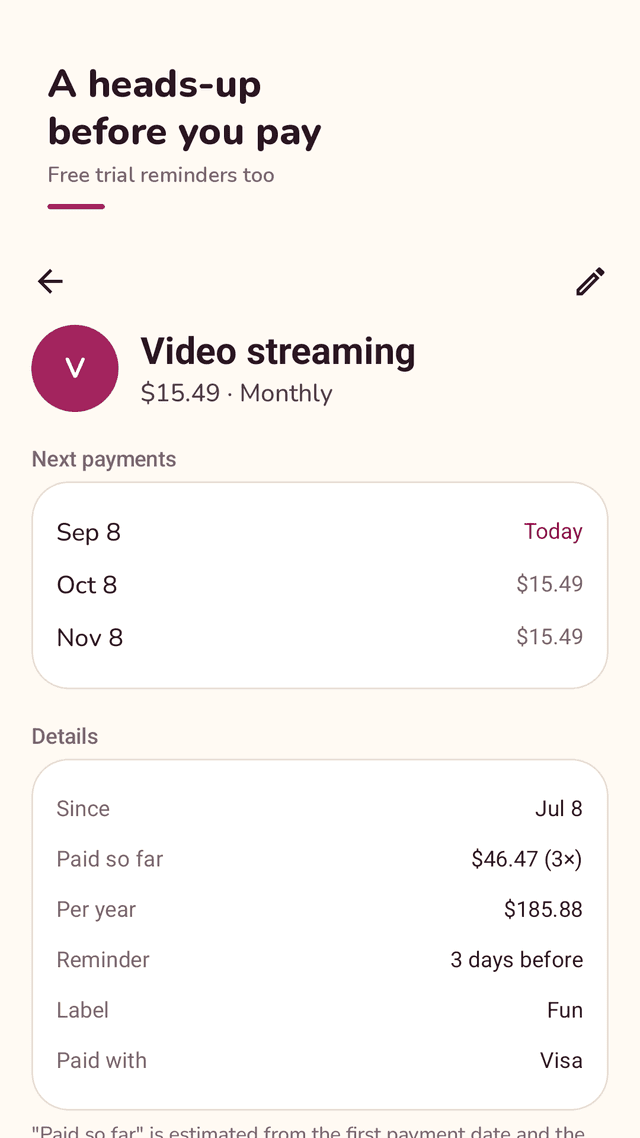
A morning heads-up on the day or 1, 2, 3 or 7 days before. Set one default for all, or change it for a single subscription.
Free trial reminders
Add the date a trial ends and get reminded before it turns into a paid plan.
No login, no bank link, no limit
Add as many subscriptions as you like by hand. No account, no card or bank connection, and the list stays on your phone.
Pause or cancel, keep the history
Mark a subscription as paused or cancelled. It stays in your list, drops out of the totals, and the stats show your yearly savings.
Stats and a home screen widget
Yearly total, daily average, totals by label, biggest costs — and a widget with your next payment and what is left this month.
A backup file you control
Save your list to a file in your cloud drive or on your phone, and restore it on a new phone or after reinstalling.
FAQ
- Does Dueberry find my subscriptions automatically?
- No. Dueberry does not connect to your bank, card or email. You add each subscription by hand, which takes a few seconds, and nothing about your accounts leaves your phone.
- Is there a limit on how many subscriptions I can add?
- No. You can add as many subscriptions and recurring bills as you like.
- Why is my weekly subscription more than 4 times the weekly price per month?
- A month averages about 4.33 weeks, so Dueberry calculates monthly cost as weekly × 52 ÷ 12. For example, 45 a week is 195 a month, not 180.
- Can I separate yearly plans from monthly ones?
- Yes. Switch the total to Year to see full yearly amounts, or stay on Month where yearly plans are spread evenly as yearly ÷ 12. The note under the total tells you how many yearly plans are included.
- Will it remind me before a free trial ends?
- Yes. Add the free trial end date to the subscription and Dueberry sends a morning reminder before it ends.
- What happens to my data if I reinstall the app or change phones?
- Save a backup file from Settings first and keep it in your cloud drive or files. After reinstalling, restore it from the same screen.
- Does Dueberry cancel subscriptions for me?
- No. Deleting a subscription or marking it as cancelled in Dueberry only changes your list. To stop paying, cancel it with the service itself.
- What permissions does it need?
- Only notifications, and that is optional — the reminders. Dueberry does not ask for contacts, location, SMS or file access.
Guides
Dueberry is a record-keeping tool. Amounts and dates are calculated from what you enter and may differ from what a service actually charges. It is not financial advice and it does not make or cancel payments.