
Light in one tap. Phone stays locked.
Lumtap puts a Turn on button right on your lock screen. In a dark hallway, a parking lot or a power cut, tap once and the light is on — no unlocking, no swiping down to hunt for the toggle.
Get it on Google PlayNo account · no camera permission · every feature free, supported by ads
Works on Android phones with a camera flash. The lock screen button is a silent notification, so allow notifications when Lumtap asks.
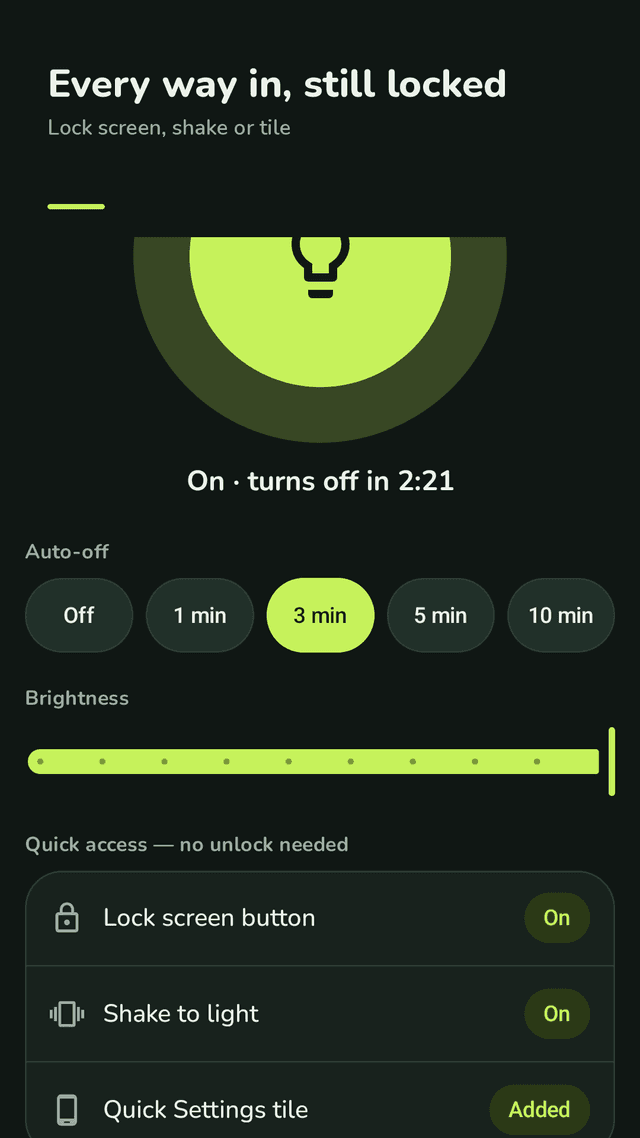
A lock screen flashlight is a way to switch on your phone's LED light without unlocking the phone first. Android hides the flashlight inside Quick Settings, so in the dark you usually unlock, swipe down and look for the toggle. Lumtap keeps a silent notification on your lock screen with a big Turn on button; tapping it switches the light on and off while the phone stays locked. You can also shake the phone, use a Quick Settings tile, or set the light to switch itself off after a few minutes.
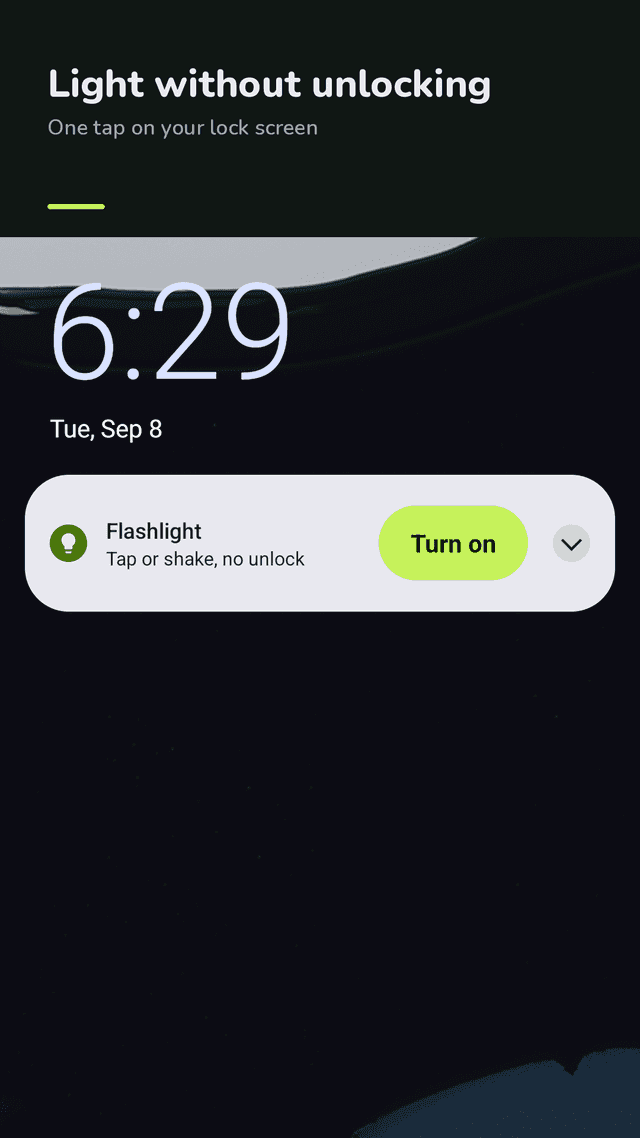
One tap on the lock screen
A silent notification with a big Turn on button. Tap it with the phone locked; tap again to turn the light off.
Shake to light
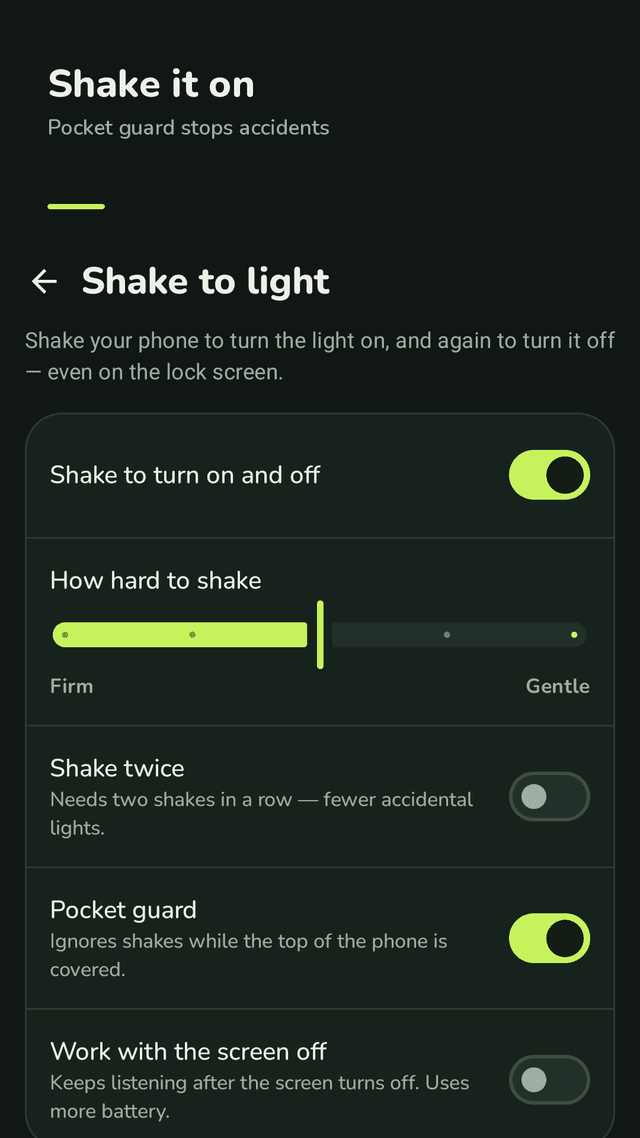
Shake to turn on, shake again to turn off — even on the lock screen. Choose how hard you need to shake and test it on the spot.
Pocket guard
Ignores shakes while the top of the phone is covered, so the light stays off in your pocket or bag.
Shake twice mode
Needs two shakes in a row for even fewer accidental lights.
Auto-off timer
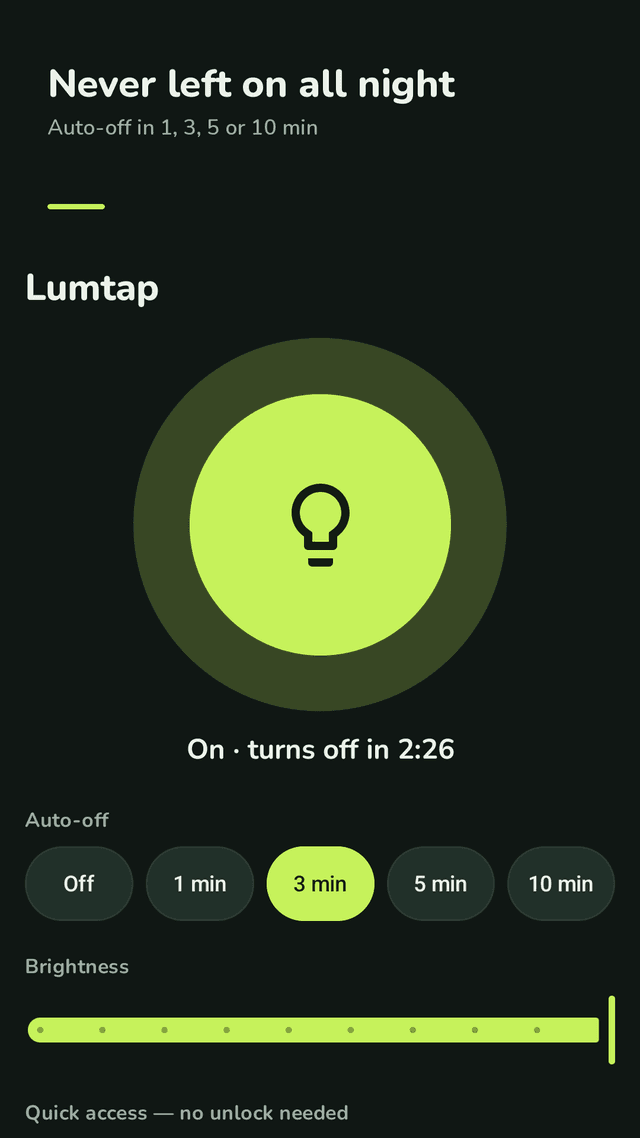
Turn the light off by itself after 1, 3, 5 or 10 minutes, with a countdown on the lock screen.
Quick Settings tile
Add the Lumtap tile with one tap and switch the light from the notification shade.
Brightness and vibration
Brightness levels on phones that support them, and a short buzz when the light switches.
Comes back after restart
The lock screen button and shake detection return on their own after the phone restarts.
FAQ
- Can I turn on the flashlight without unlocking my phone?
- Yes. Lumtap shows a Turn on button on your lock screen. Tap it and the light comes on while the phone stays locked.
- Why does my old shake flashlight app turn on in my pocket?
- Walking and sitting can look like shaking. Lumtap's pocket guard ignores shakes while the top of the phone is covered, and Shake twice mode needs two shakes in a row.
- Do I have to keep the app open for shaking to work?
- No. Shake detection keeps running in the background with a small notification. You can also let it work with the screen off; that uses more battery, so it is off by default.
- Does Lumtap need camera permission?
- No. It only switches the camera flash LED as a light. It never takes photos or video.
- Will the flashlight stay on all night if I forget it?
- Not if you set Auto-off. Choose 1, 3, 5 or 10 minutes and the light switches itself off.
- The lock screen button disappeared. How do I get it back?
- Open Lumtap and tap Show next to Lock screen button. If notifications are blocked, allow them for Lumtap in your phone settings.
- Does it work on Samsung Galaxy phones?
- Lumtap uses standard Android notifications and the flashlight API, so it is made for any Android phone with a flash, including Galaxy models.
- Where are my settings stored?
- Only on your phone. There is no account or sign-up. Ads are served by Google AdMob; see the privacy policy for details.
Guides
Lumtap switches your phone's existing camera flash LED. Brightness and features depend on your phone. Do not shine the light into anyone's eyes.