
Weight goes up and down. Your trend doesn't lie.
Pesolo turns daily weigh-ins into one calm 7-day average line, shows how far you are from your goal and lets you fix any entry with a tap. No account, no guilt trips.
Get it on Google PlaySupported by ads · no account · data stays on your phone
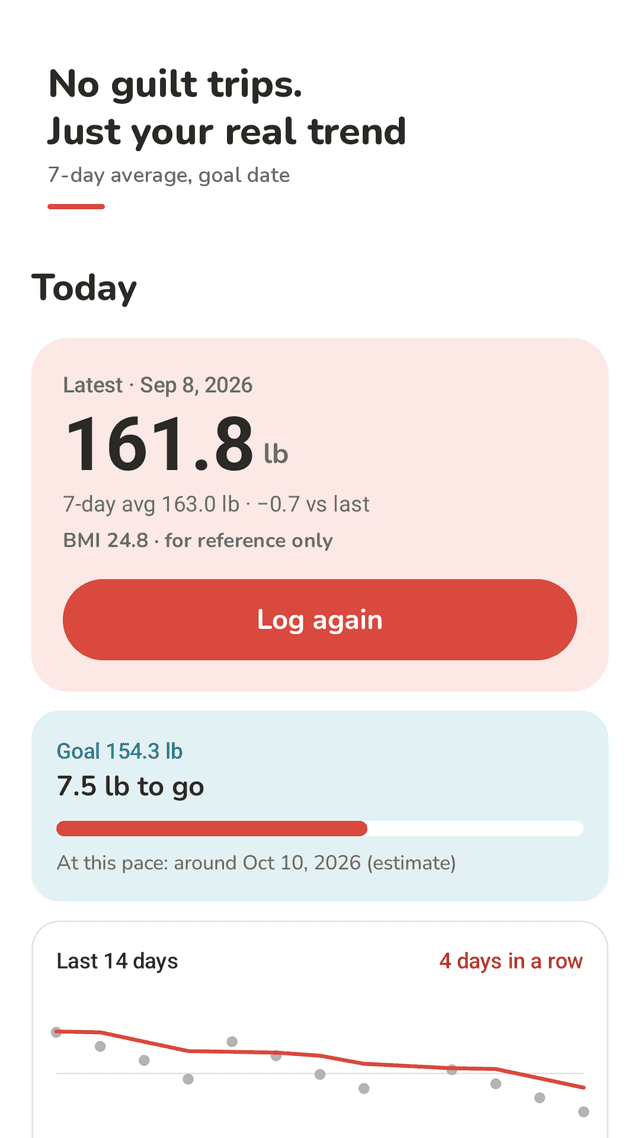
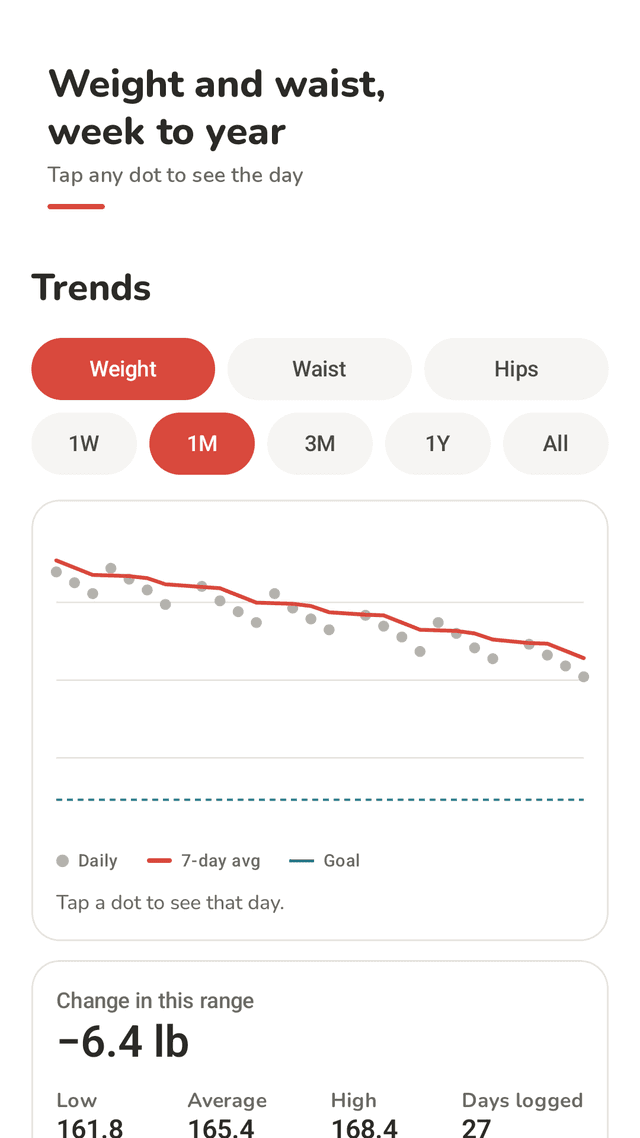
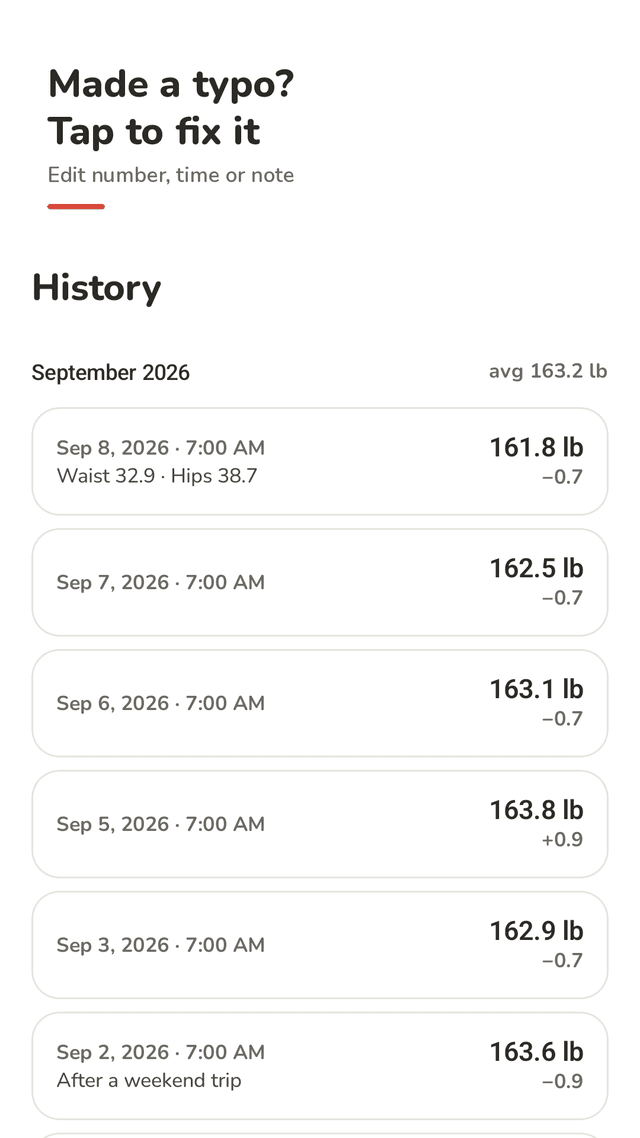
Pesolo is an Android weight tracker for people who want a simple daily log without an account. You enter your weight in kilograms or pounds; the entry sheet already shows yesterday's number, so most mornings you tap minus or plus 0.1 and save. Each day is shown as a grey dot and a coral 7-day average line, so a salty dinner or a hot day does not hide the direction you are going. The Trends tab switches between 1 week, 1 month, 3 months, 1 year and all time, shows the low, high, average and total change for that range, and lets you tap any dot to see that day's weight and note. If you set a goal weight, the Today screen shows how much is left, a progress bar and an estimated date based on the last 14 days, and it hides the estimate when there is not enough data. You can add waist, hips, chest, arm and thigh measurements to the same entry and chart each one. History groups entries by month with a monthly average, and tapping an entry lets you change the number, date, time or note, or delete it. Gains and losses are shown as plain numbers, not red warnings, and BMI is a small reference that you can turn off. Data stays on the phone; an optional 4-digit PIN locks the app and a CSV file exports or imports every entry. A home screen widget shows the latest weight and opens the entry sheet with one tap.
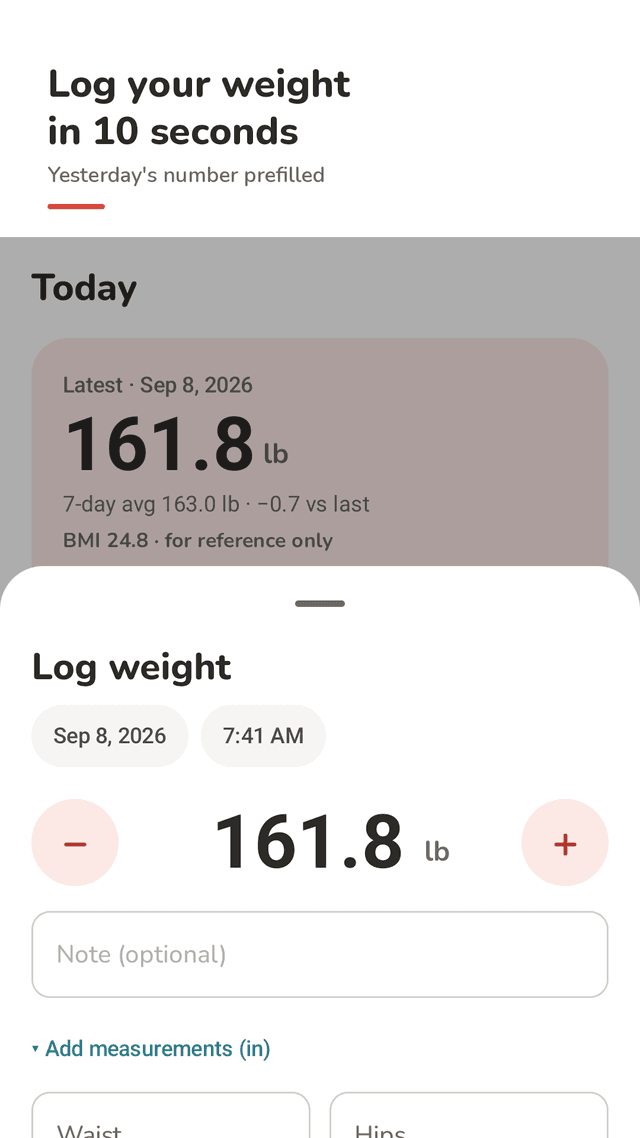
10-second logging
Yesterday's weight is prefilled. Tap − or + by 0.1 and save. Weigh more than once a day if you like; the chart uses the first weigh-in of each day.
A 7-day average line
Daily dots plus a 7-day average, so normal water and salt swings don't hide the trend.
1 week to all time
Switch ranges and see low, high, average and total change. Tap any dot to see that day.
Goal weight and an estimated date
See how much is left and a rough date at your current pace. It's an estimate and it hides itself when data is thin.
Body measurements
Waist, hips, chest, arm and thigh in the same entry, each with its own chart.
Fix any entry
Tap an entry in History to change the number, date, time or note, or delete it. Back-dating is fine.
Private by default
No account. Entries stay on your phone. Optional 4-digit PIN and CSV export/import for a new phone or a spreadsheet.
Widget and a gentle reminder
The widget shows your latest weight and opens the entry sheet. One morning reminder, and an evening nudge only if you haven't logged.
FAQ
- Why does my weight go up and down every day?
- Day-to-day changes are mostly water: salt, carbs, sleep, exercise and hormones all shift how much water your body holds, so 0.5 to 2 kg (1 to 4 lb) swings are common. That's why Pesolo draws a 7-day average line next to the daily dots.
- When is the best time to weigh myself?
- Pick one routine and keep it, for example in the morning after using the bathroom and before eating or drinking. Pesolo uses your first weigh-in of each day for the chart, so later checks don't make the line jumpy.
- Can I track waist and other body measurements?
- Yes. Add waist, hips, chest, arm and thigh to any entry in centimeters or inches, and chart each one in Trends.
- I typed the wrong number. Can I fix it?
- Yes. Open History, tap the entry and change the weight, date, time or note, or delete it.
- What happens to my data if I change phones?
- Use Settings > Export CSV to save every entry to a file, then Import CSV on the new phone. There is no account or cloud sync.
- Can I hide my weight from other people?
- Turn on App lock in Settings to ask for a 4-digit PIN when the app opens. The share card shows only your change and trend line, not your actual weight.
- Can I turn off BMI?
- Yes. BMI needs your height and is only a rough reference, so you can switch it off in Settings.
- Does Pesolo connect to smart scales?
- No. You type the number from any scale. Pesolo doesn't read data from other apps or devices.
Guides
Pesolo is a personal record-keeping app and does not give medical advice. BMI, averages and goal dates are general references. Talk to a health professional about decisions about your weight or health.