
Sermon notes that never disappear.
Pewlio is a church notebook for Sunday. Write while the pastor preaches, put Bible verses straight into your notes, record the message and tap Mark when something lands — and know every word is saved.
Get it on Google PlayFree, supported by ads · no account · works offline
Pewlio records audio only. It does not transcribe or summarize sermons, and it has no cloud sync — your notes stay on your phone, and you back them up to a file.
Pewlio is a free sermon notes app for Android. Every note has the same five sections — Key points, Quotes, Scripture, Application and Prayer — so your church notes look the same each week and are easy to review. Each word saves as you type, deleted notes go to a 30-day Trash with Undo, and all notes and recordings can be backed up to one ZIP file and restored on a new phone without signing in. The King James Version, World English Bible and Berean Standard Bible are built in, so you can insert verses without a signal.
Notes with a simple shape
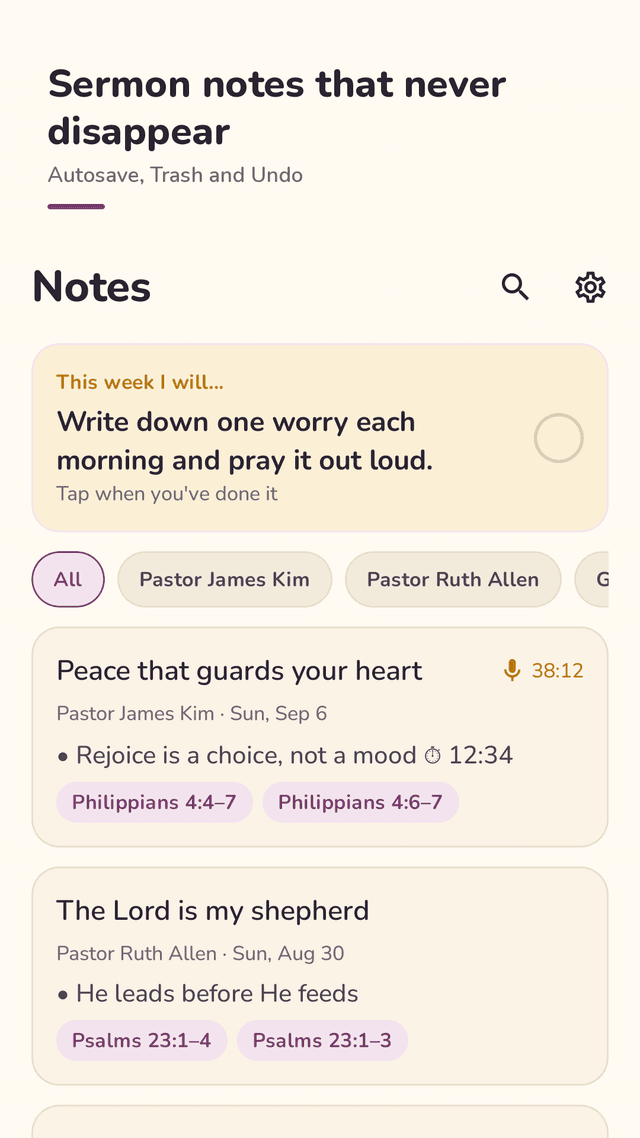
Key points, Quotes, Scripture, Application and Prayer in every note. Bullets appear on their own, and there is no bold or underline to scramble your text.
Autosave on every word
There is no save button to forget. Close the app mid-sermon and your note is still there.
Trash with Undo
Deleted a note by mistake? Tap Undo, or restore it from Trash within 30 days.
Backup to one file
Save all notes and recordings to a ZIP file and restore it on a new phone. No account, no sign-in.
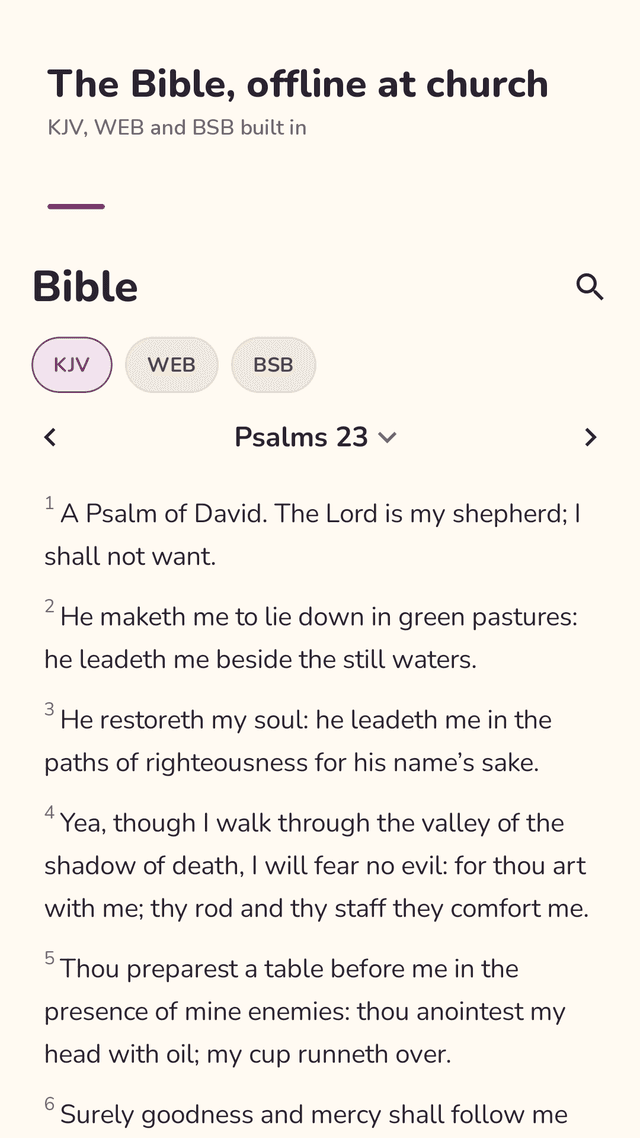
Bible built in, offline
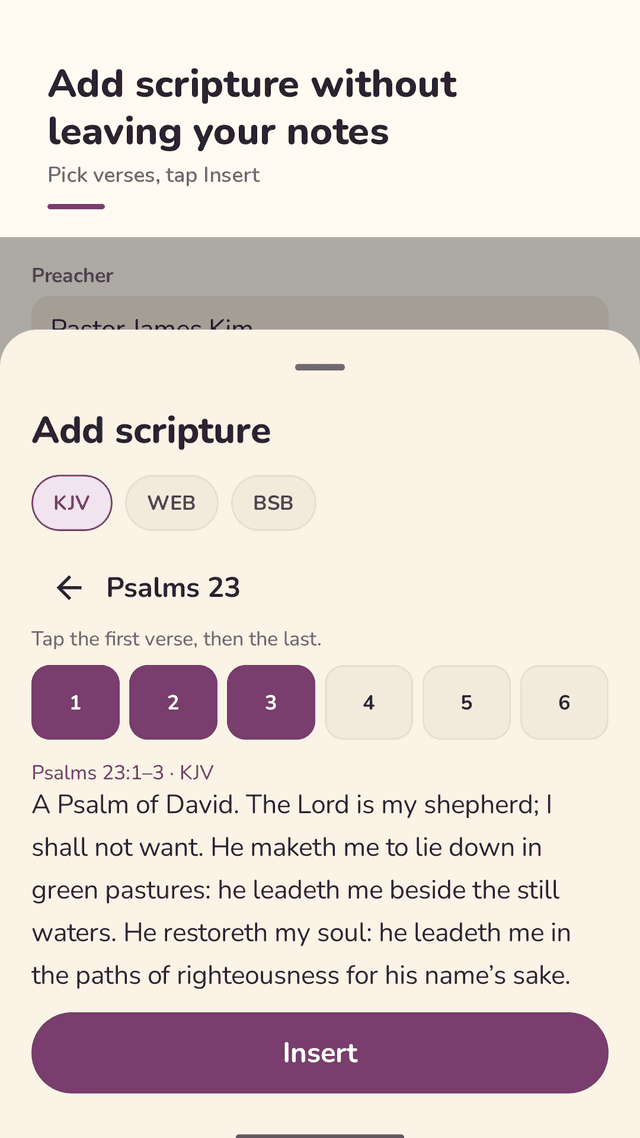
KJV, WEB and BSB inside the app. Pick book, chapter and verses, tap Insert, and the text with its reference goes into your note.
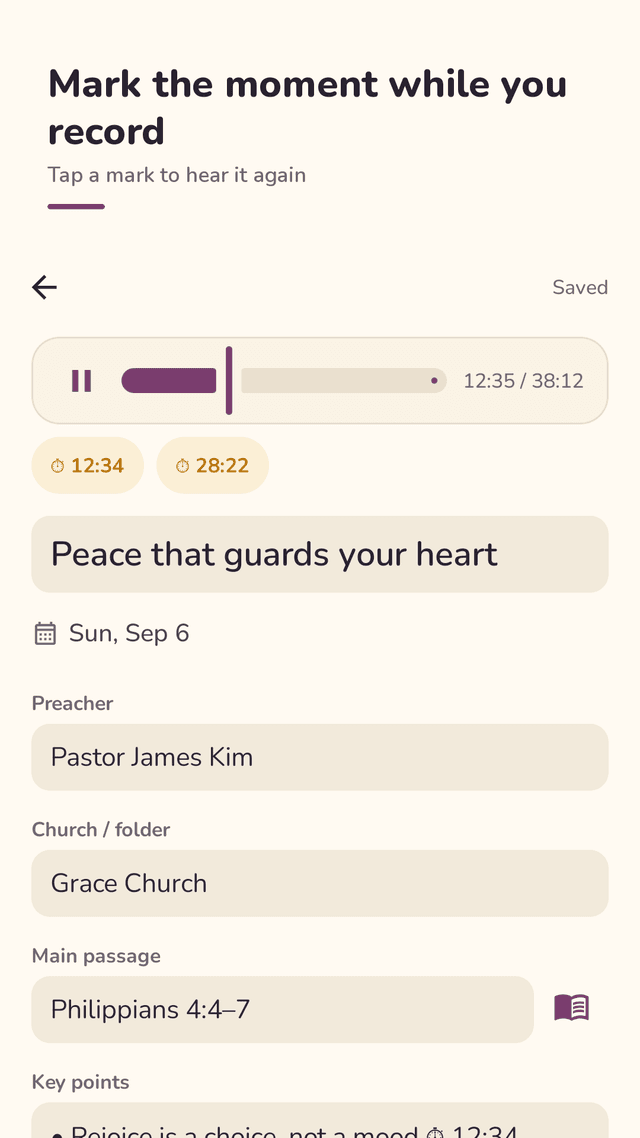
Record and mark the moment
One tap starts a sermon recording that keeps going with the screen off. Tap Mark to drop a time chip like 12:34 into your note, then tap it later to hear that part again.
Prayer list
Keep prayer requests in one list, pull them from your sermon notes in one tap, and tap the circle when a prayer is answered — Pewlio keeps the date.
This week I will…
Sunday's application stays at the top with a check circle, and a short midweek reminder asks how it is going. Add a home screen widget to start a new note in one tap.
FAQ
- Is Pewlio free?
- Yes. Recording, Bible verses, backup and every other feature are free. The app is supported by ads, which never appear while you are editing a note or recording.
- What happens if I accidentally delete a note?
- Tap Undo right away, or open Trash and restore it any time within 30 days.
- I switched phones. Can I keep my sermon notes?
- Yes. Back up to one ZIP file on the old phone, move the file, and restore it in Pewlio on the new phone. No account is needed.
- Does it work offline at church?
- Yes. Notes, recordings and the KJV, WEB and BSB Bibles are all on your phone, so no signal is needed.
- Can I add Bible verses without leaving my notes?
- Yes. Tap Add scripture in a note, choose book, chapter and verses, and tap Insert. You can also read in the Bible tab and add any verse to a note.
- Does Pewlio transcribe or summarize the sermon?
- No. It records audio only. Tap Mark during the recording to leave time chips in your note, then tap a chip to replay that moment.
- Which Bible translations are included?
- The King James Version (1769), the World English Bible and the Berean Standard Bible, all in the public domain. They are in English; other translations such as ESV or Korean Bibles are not included.
- Can I organize notes by pastor or church?
- Yes. Filter your notes by preacher or church, and search every note.
Guides
Bible texts: King James Version (1769), World English Bible and Berean Standard Bible, all in the public domain. Ask before recording if your church has a policy on recording services.