Plan the week's meals. The grocery list writes itself.
Fill breakfast, lunch and dinner for 7 days from the dishes your family actually eats. One tap turns the week into a shopping list you can check off, and today's menu sits on your home screen.
Get it on Google PlayFree with ads · no sign-up · no calories · your meal plan stays on your phone
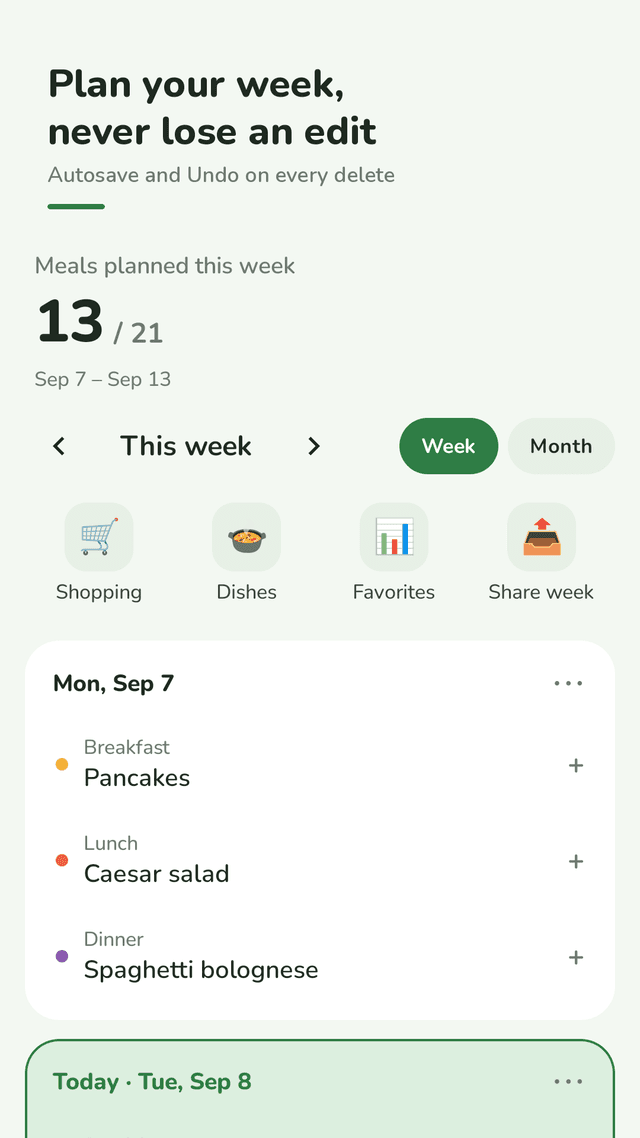
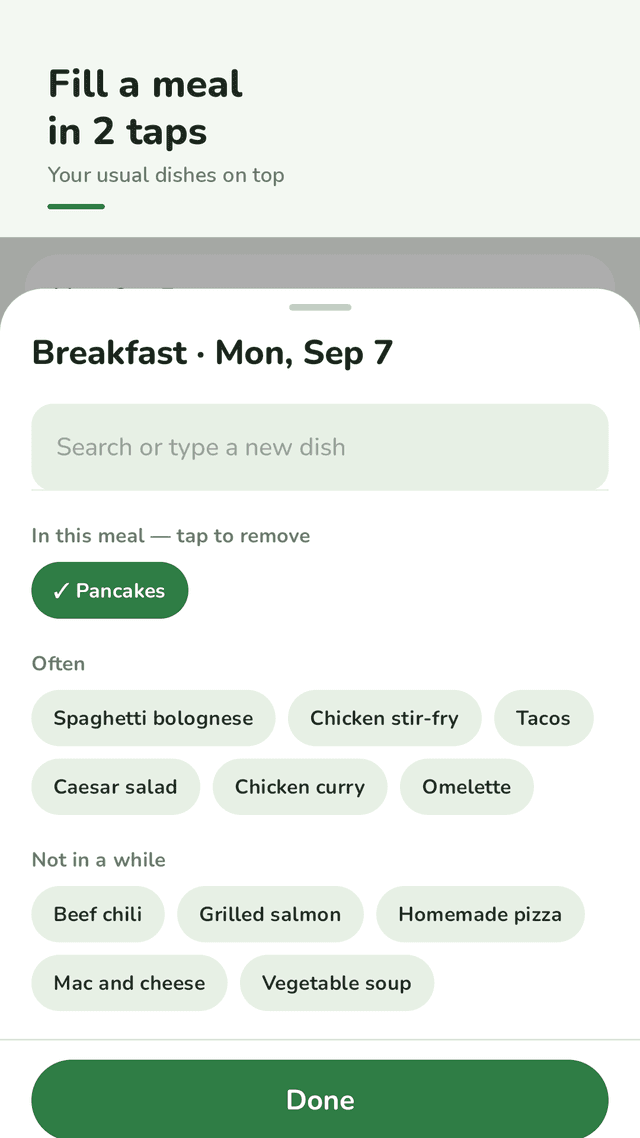
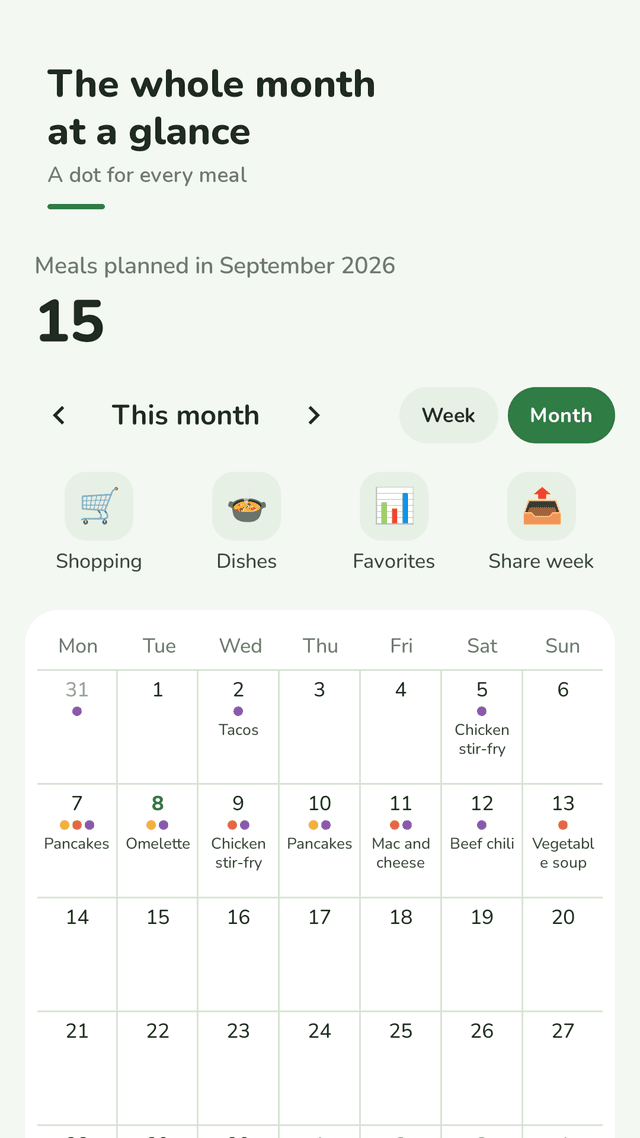
Platory is a simple weekly meal planner for Android. You see Monday to Sunday on one screen with breakfast, lunch and dinner, plus an optional snack slot. Tap an empty meal, then tap a dish: your most-eaten dishes are on top, and a "Not in a while" row brings back dishes you forgot about so the menu doesn't repeat every week. Each dish keeps its ingredients, any number of tags, a recipe link and a note. One tap builds a grocery list from this week's meals with one line per ingredient, so eggs for pancakes and an omelette become "Eggs ×2" with the dishes listed under it; checked items move down, and the list can be shared as text. Everything saves as you go, every delete has an Undo button, and deleting a tag never deletes your dishes or your meal plan. You can copy last week to this week, copy, move or swap meals between days, see the month as a meal calendar, get an 8 PM reminder for tomorrow's menu, share the week as a card image and back up to a file. A home screen widget shows today's meals and how many grocery items are left. There is no account, no calorie counting and no food photos.
A meal in 2 taps
Tap an empty breakfast, lunch or dinner, then tap a dish. Your most-eaten dishes are on top; type a new name to add it on the spot.
Grocery list from the meal plan
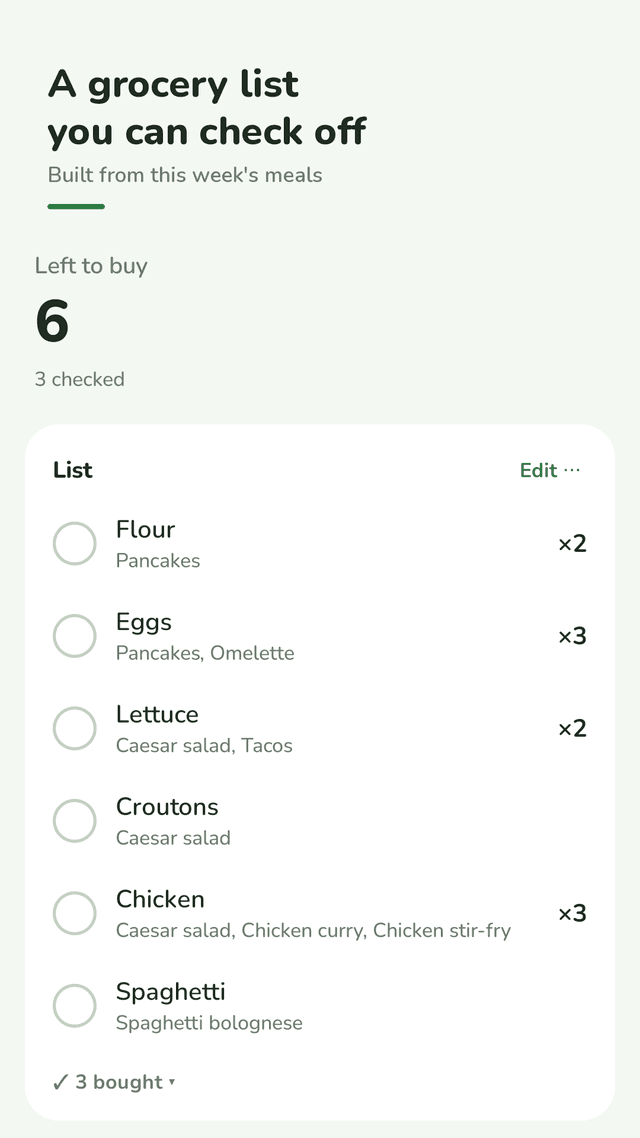
One tap turns this week's meals into a shopping list, one line per ingredient, with counts like "Eggs ×2" and the dishes listed under it.
A real checklist
Check items off at the store and they move down, out of the way. Add anything by hand, or share the list as text.
Never lose an edit
Everything saves as you go. Every delete has Undo. Deleting a tag never deletes your dishes or your plan.
Today's menu on your home screen
A widget shows today's breakfast, lunch and dinner and how many grocery items are left, without opening the app.
Menus that don't repeat
"Not in a while" brings back forgotten dishes. Favorites show what you ate most in the last 30 days.
Repeat what works
Copy last week to this week in one tap. Copy, move or swap meals between days. See the whole month at a glance.
Your dishes, your way
Ingredients, more than one tag, a recipe link and a note per dish. Search by dish or ingredient; sort by recent, most eaten or A–Z.
FAQ
- Can I make a grocery list from my meal plan?
- Yes. One tap builds a shopping list from this week's meals. Each ingredient gets its own line, the same ingredient from different dishes is merged with a count like "Eggs ×2", and the dishes it's for are listed under it.
- Is there a widget?
- Yes. The home screen widget shows today's breakfast, lunch and dinner and how many grocery items are left to buy.
- Does it count calories?
- No. Platory has no calories, no macros and no food photos. It's a plain food diary for what you're eating this week and what you need to buy.
- Can I copy, move or switch meals between days?
- Yes. Copy, move or swap meals between days, or copy all of last week's meals to this week in one tap.
- How do I stop eating the same thing every week?
- When you add a meal, a "Not in a while" row shows dishes you haven't had for a while. Favorites also lists what you ate most in the last 30 days and what you haven't had in a while.
- Can I tag a dish under two categories?
- Yes. A dish can have more than one tag, and you can search by dish or by ingredient. Deleting a tag never deletes the dishes or your meal plan.
- What if I swipe away by mistake and lose my edits?
- Everything saves as you go, and every delete has an Undo button. You can also back up to a file and restore it on a new phone.
- Do I need an account? Can my family see the plan?
- No account is needed and the meal plan stays on your phone. To share it, send the week as a meal plan card image or the grocery list as text — or print the card for the fridge.
Guides
Platory is an independent meal planning app. It does not give nutrition or medical advice and does not count calories. Your meal plan stays on your phone. Ads are shown by Google AdMob inside the app.