Your oximeter reads it. Satwell keeps the log.
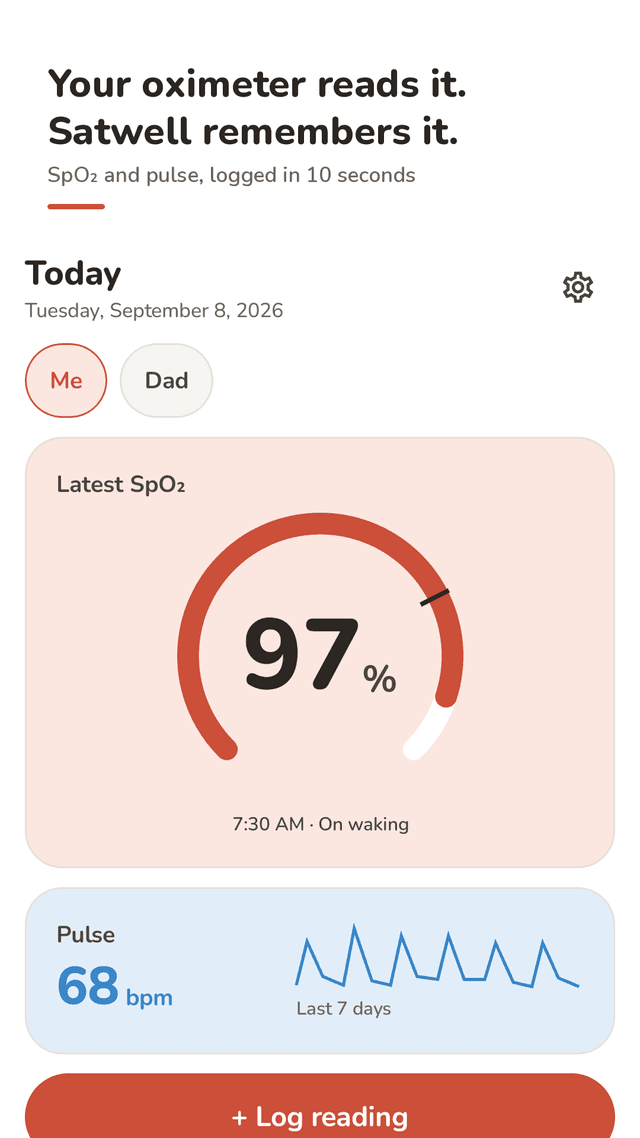
Type the SpO2 and pulse from your own fingertip pulse oximeter in about ten seconds, tag the situation, and see how your numbers move over days and weeks. Bring one clean PDF to your next appointment.
Get it on Google PlayNo account · readings stay on your phone · every feature free, supported by ads
Requires a separate fingertip pulse oximeter. Satwell does not measure, diagnose or treat. It does not use your phone's camera or sensors: you read the numbers on your own oximeter and log them here.
An SpO2 log is a dated list of the oxygen saturation (SpO2) and pulse numbers your pulse oximeter shows, together with what you were doing at the time. One reading tells you about one moment; a log shows your care team how your numbers change from day to day, at rest and after activity, on oxygen and off it. Satwell replaces the notebook or spreadsheet: each reading is saved with its date, time and situation, the graphs draw themselves, and the whole log turns into a PDF report you can share before a visit.
Log a reading in about 10 seconds
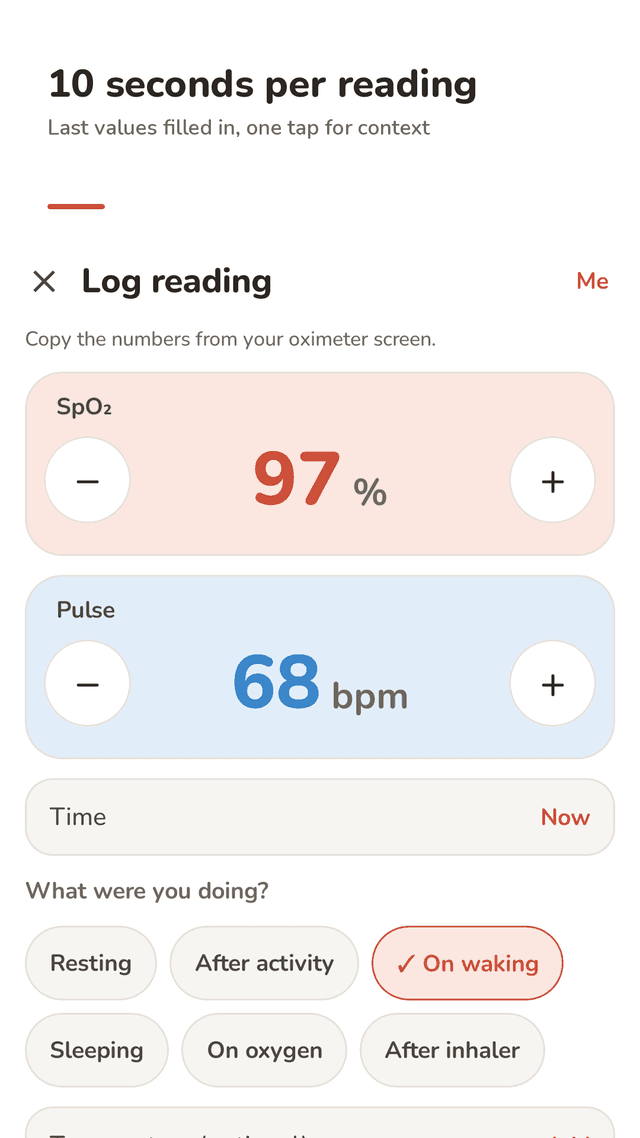
Big SpO2 and pulse steppers with your last values already filled in. Add an earlier reading by picking its date and time.
Tag the situation
Resting, after activity, on waking, sleeping, on oxygen (with L/min) or after an inhaler, plus optional temperature and a short note.
7, 30 and 90-day trends
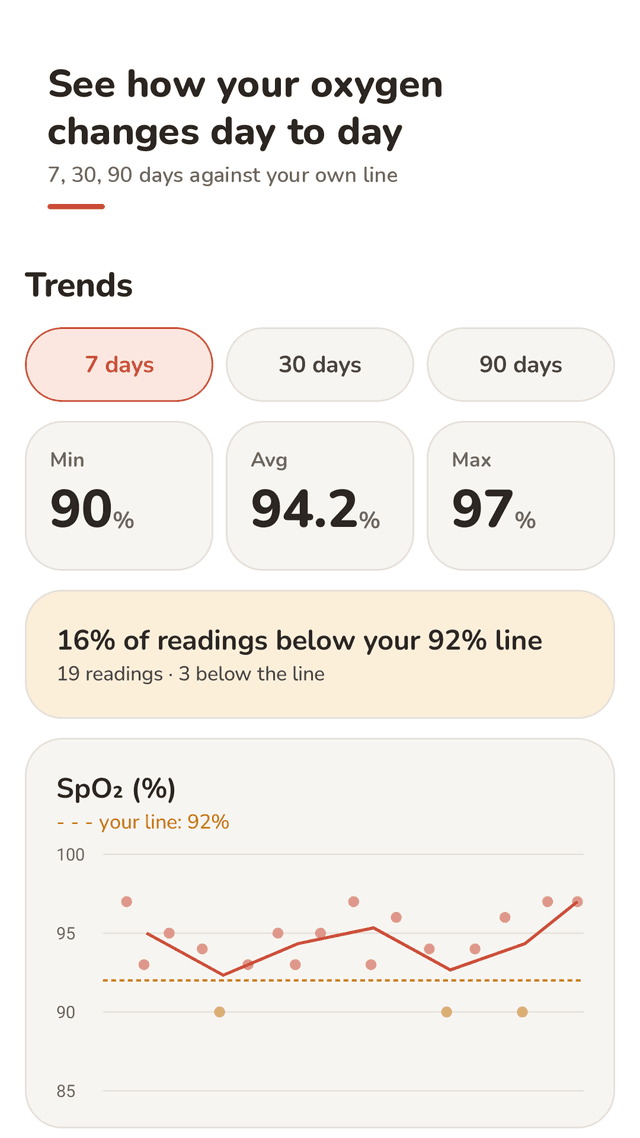
SpO2 and pulse graphs with the minimum, average and maximum for the period.
Your own line
92% by default, or the number your care team gave you. See how many readings fell below it and compare averages by situation.
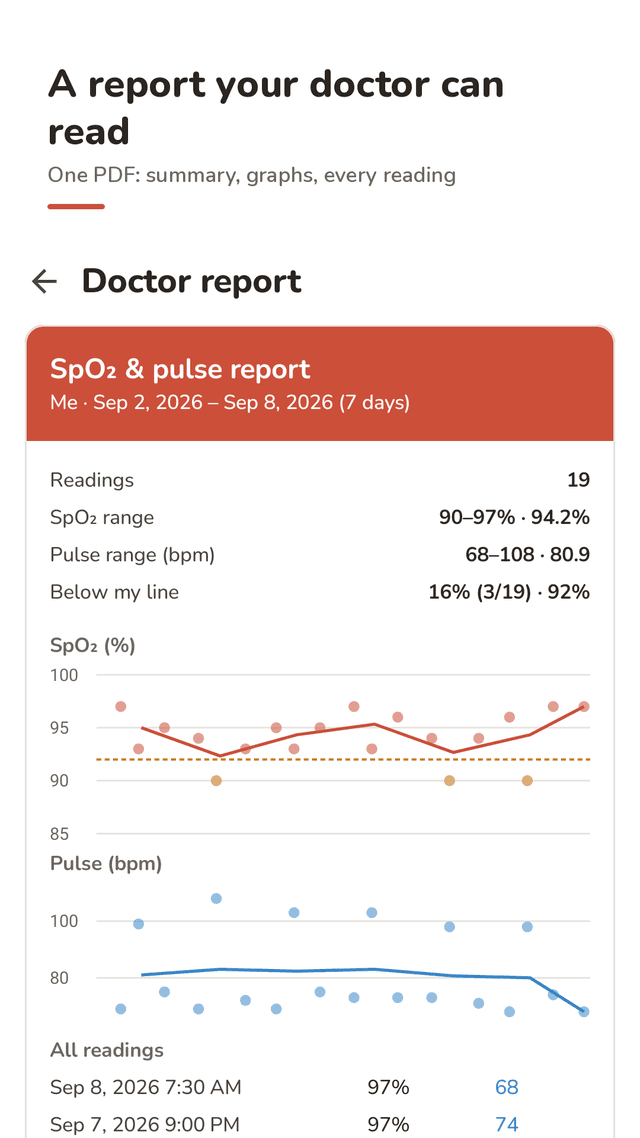
Doctor report (PDF)
One file with the period summary, both graphs and every reading. Share it or save it before your appointment.
CSV export and full editing
Export your whole log as CSV. Edit or delete any reading at any time.
Family profiles
Keep a separate log for a parent or partner on the same phone.
Reminders and widget
Two gentle reminders a day at times you choose, and a home screen widget with your latest SpO2 and a Log button.
FAQ
- Does Satwell measure my oxygen level?
- No. Satwell is a logbook, not a pulse oximeter. It does not use your camera or any phone sensor. You take the reading on your own fingertip oximeter and type the numbers in.
- Which pulse oximeter can I use with it?
- Any oximeter that shows SpO2 and pulse on its screen. There is no Bluetooth pairing; you enter the numbers by hand, so the brand does not matter.
- How do I share my readings with my doctor?
- Create a PDF report for 7, 30 or 90 days. It holds the period summary, the SpO2 and pulse graphs and every reading. You can also export the full log as CSV.
- What is "your line"?
- A reference number drawn on the graph — 92% unless you change it. Set it to the number your care team gave you; Satwell then shows how many readings fell below it. It is a record-keeping aid, not a diagnosis.
- Can I note that I was on oxygen or used my inhaler?
- Yes. Each reading can be tagged resting, after activity, on waking, sleeping, on oxygen (with the flow in L/min) or after an inhaler, with an optional temperature and note.
- I typed a wrong number. Can I fix it?
- Yes. Tap any reading to edit or delete it. You can also add a reading from earlier in the day.
- Can I keep a log for my mother or father?
- Yes. Family profiles keep separate logs for each person on the same phone.
- Where are my readings stored?
- Only on your phone. There is no account or sign-up. Ads are served by Google AdMob; see the privacy policy for details.
Guides
Satwell is a record-keeping tool, not a medical device, and it gives no medical advice. Talk to your care team about your readings and follow the plan they gave you. If you feel unwell, follow your care plan or seek urgent help whatever your oximeter shows.