Add every book. No 10-book limit.
Shelvana is a calm bookshelf for your reading: three shelves, one-tap page logging, quotes with a yellow highlighter, and a yearly goal that tells you if you're ahead.
Get it on Google PlaySupported by ads · no account · no book limit · your data stays on your phone
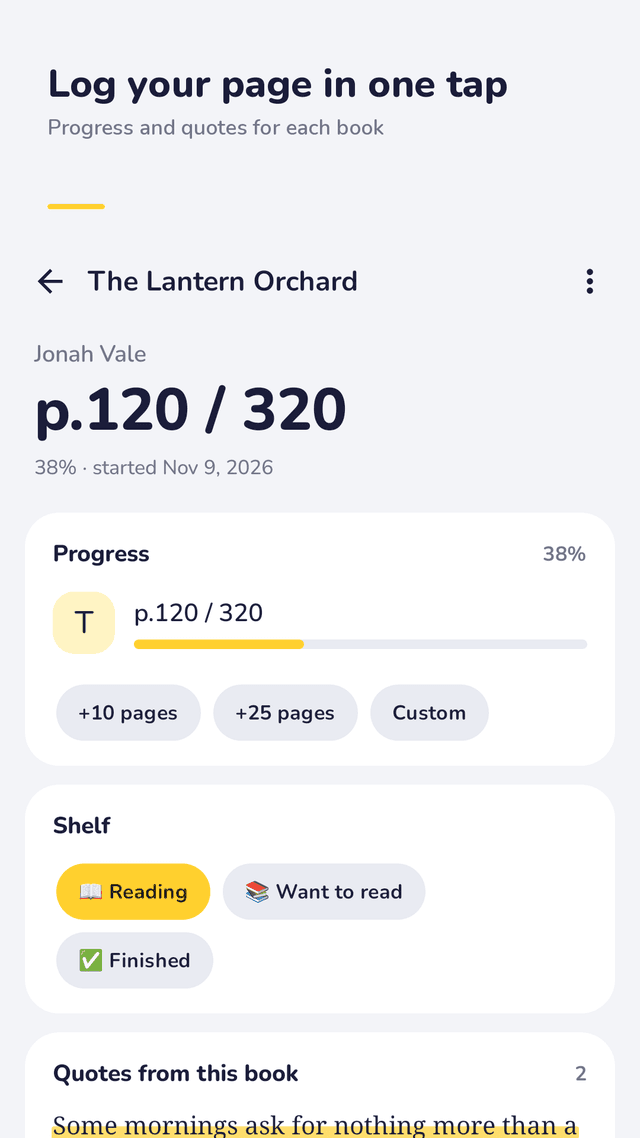
Shelvana is an Android reading tracker for people who want a simple place for their books and the lines that stayed with them. Every book sits on one of three shelves — Reading, Want to read and Finished — and moves between them with one tap. While you read, you log the page you reached (or the percent, if your e-book shows one), and the home screen shows how many books you are reading now. You can save a quote with its book, page and your own note; quotes appear with a yellow highlighter underline, and you can search them, filter by book and share one as a card. A yearly goal shows "12 of 24 this year" with your pace, books finished per month and pages read, and you can share your year as a card. A Quote of the Day widget puts one of your saved lines on the home screen. There is no account: books and quotes stay on your phone, you can export a backup file and restore it on a new phone, and you can import a CSV exported from another reading app. Book details are typed in by you; the app does not look books up online.
No book limit
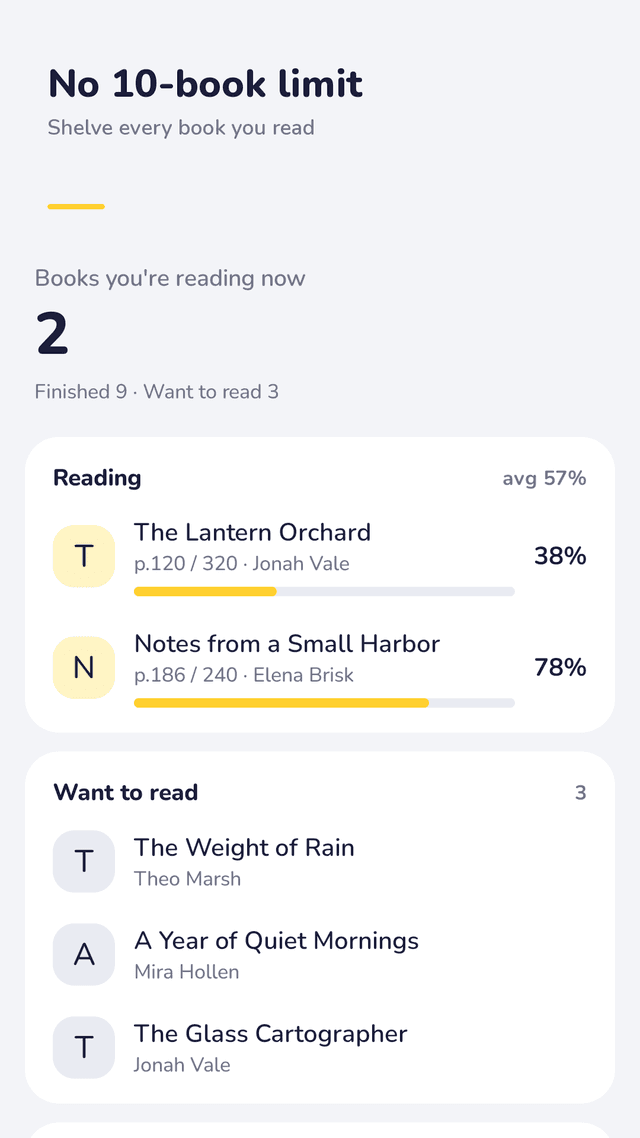
Add as many books as you like. Nothing is locked behind a subscription.
Three shelves
Reading, Want to read and Finished. Move a book with one tap; your TBR list stays separate.
Log pages in one tap
Log the page you reached, or the percent. +10 and +25 quick buttons for a fast update.
Quotes with a highlighter
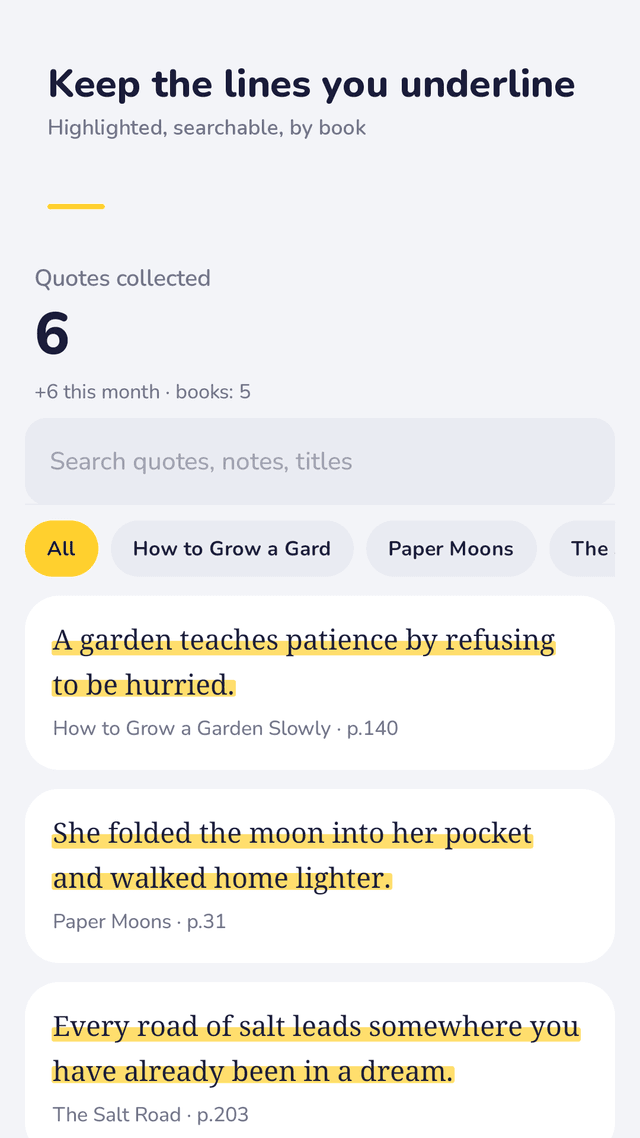
Save a line with its book, page and your note. Search your quotes and filter by book.
A yearly reading goal
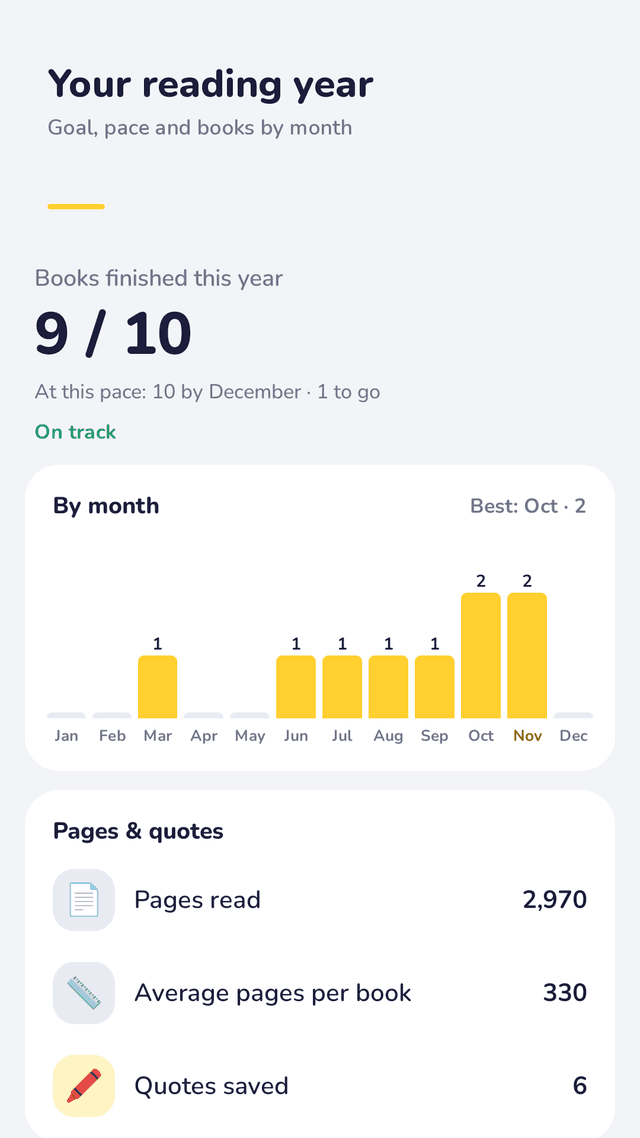
"12 of 24 this year" with your pace, books per month and pages read.
Share as a card
Share a quote or your reading year as a clean image card.
Quote of the Day widget
One of your saved lines on the home screen. Tap ↻ for the next one.
Your data, your file
No account. Export a backup file, restore it on a new phone, or import a CSV from another reading app.
FAQ
- Is there a limit on how many books I can add?
- No. You can add as many books and quotes as you like.
- Do I need an account?
- No. There is no login. Your books and quotes stay on your phone.
- How do I keep my books if I change phones?
- Export a backup file from Settings, move it to the new phone and import it there. Android's own device backup may also include app data.
- Can I move my books from another reading app?
- Yes. Export a CSV from the other app and import it in Settings. Shelvana reads titles, authors, shelves, pages and finish dates.
- Can I track percent instead of pages?
- Yes. Each book can use pages or percent, and switching converts the value.
- Does it search for books online?
- No. You type the title and author yourself, so it works offline and sends nothing about your books anywhere.
- What does the widget show?
- A quote you saved with a highlighter underline and your books finished this year. Tap ↻ for the next quote.
- Does it have a reading timer?
- No. Shelvana is about shelves, pages, quotes and a yearly goal. Log the page you reached after you read.
Guides
Shelvana is a reading tracker; book details are entered by you. Ads are shown by Google AdMob inside the app.