
Record the sound from your apps. Not the room.
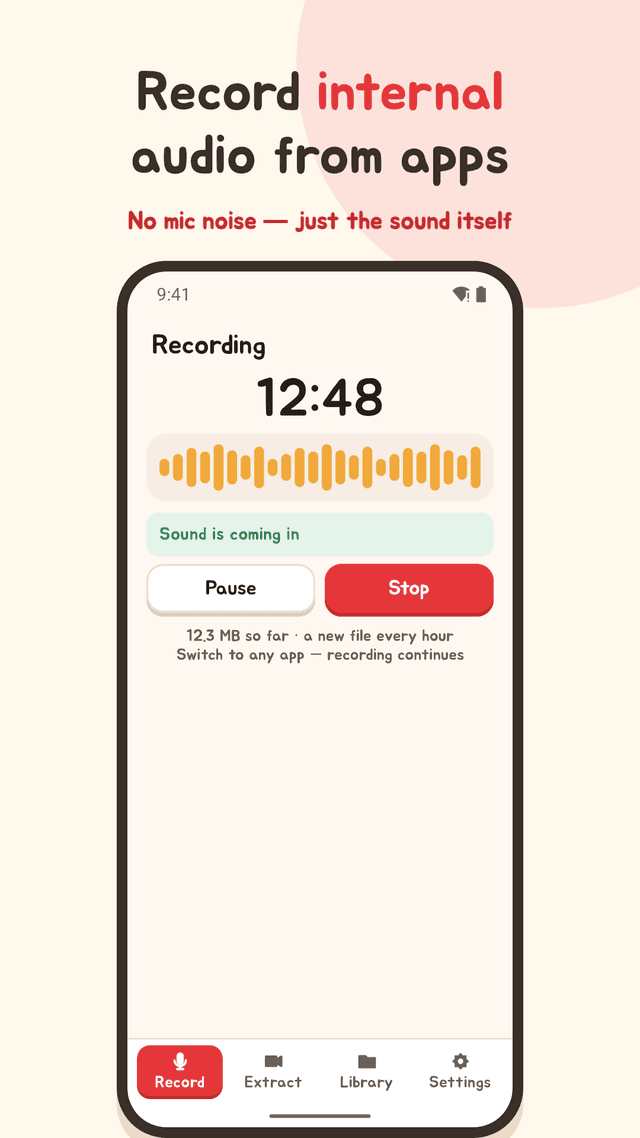
Sonacap saves the audio other apps are playing, straight from inside your phone, with no microphone noise. Start from a floating button over any app, and see the sound coming in as you record.
Get it on Google PlayFree with ads · no microphone · only sound is saved, never the screen
Sonacap is an internal audio recorder (system sound recorder) for Android. It records the sound other apps are playing, such as lectures, live streams, voice posts and game sound, without using the microphone, so room noise is never mixed in. Recording uses Android's screen-share consent: when you tap record, Android asks "Share your screen?", but Sonacap saves only the sound, never the screen. A live level meter shows that sound is coming in and warns you when it isn't. You can pause and resume, long recordings continue in a new file every hour, there are three quality levels from small files for voice to high quality for music, and an auto-stop timer. A floating record button sits on the side of your screen so you can start recording on top of any app: tap it for Record or Turn off, drag it anywhere, or drop it on the X to turn it off. Sonacap can also extract the audio from videos you already have, without re-encoding, so it is fast and much smaller than the video; it reads only the video you pick in the photo picker. Recordings and extracted audio live in one library where you can play, trim, rename and share them. Files are saved in Music/Sonacap on your phone and stay even if you uninstall, and after reinstalling you can bring your old recordings back. Android blocks recording from calls, video calls and some protected streaming apps; those save as silence.
Internal audio, no microphone
Record audio from apps exactly as it plays. The microphone is never mixed in, so there is no room noise.
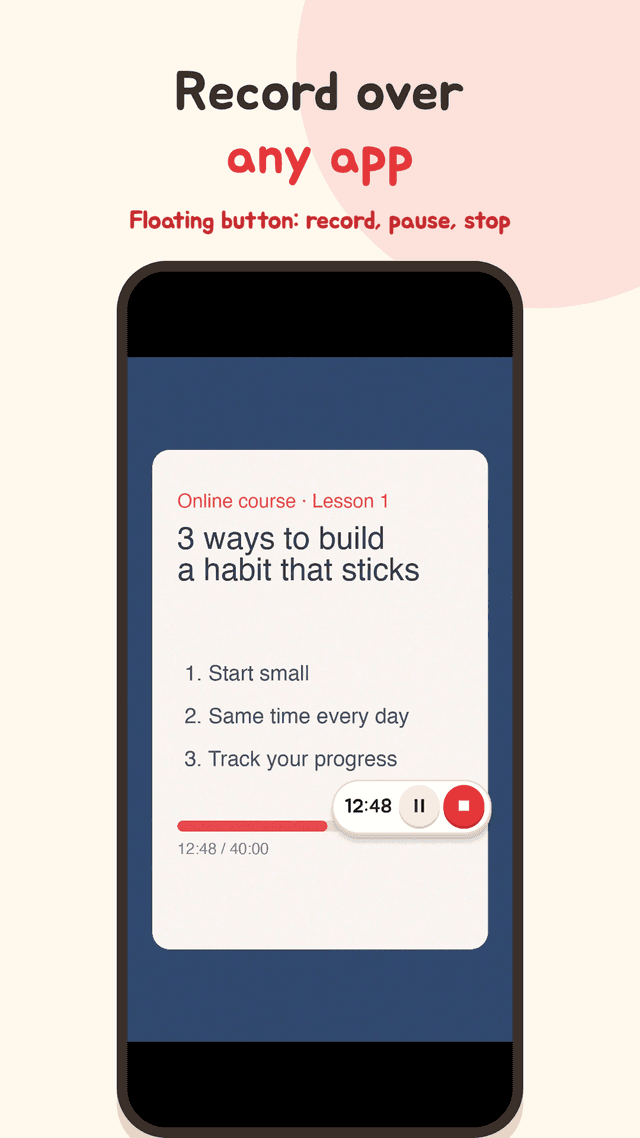
Floating record button
Keep a small button on the side of your screen and start recording over any app with one tap. Drag it anywhere; drop it on the X to turn it off.
Know that sound is coming in
A live level meter shows the sound as you record, and warns you when nothing is coming in.
Safe long recordings
Pause and resume any time. Long recordings continue in a new file every hour, and an auto-stop timer ends them for you.
Three quality levels
Small files for voice, high quality for music. Pick what fits the recording.
Extract audio from video
Save just the sound from screen recordings and downloaded videos. No re-encoding: fast, same quality, far smaller than the video.
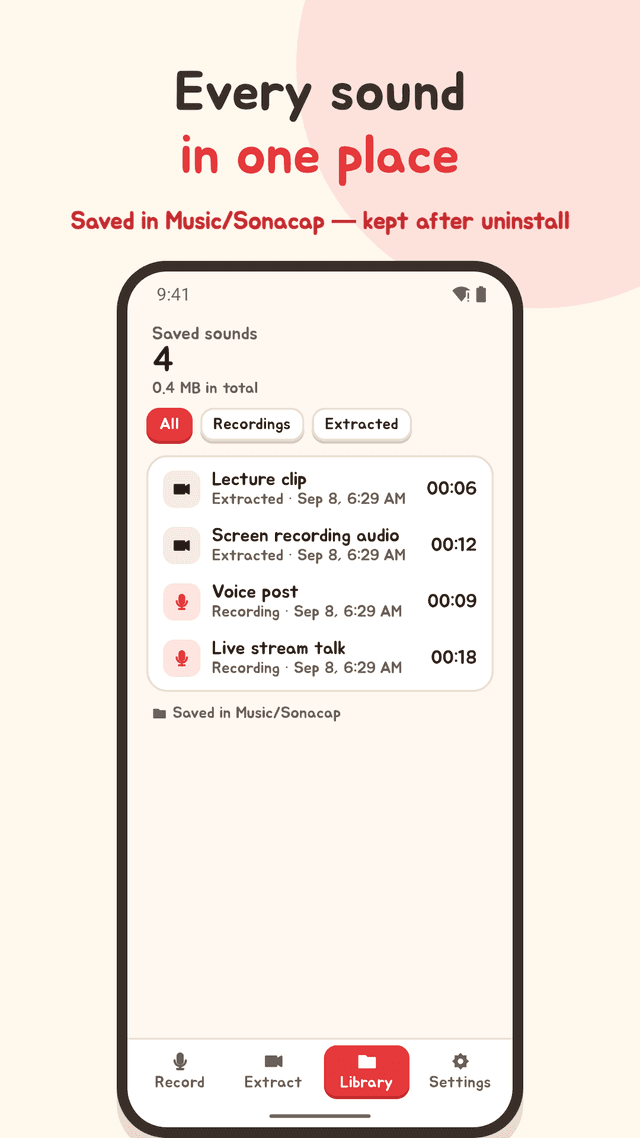
One library
Play, trim, rename and share your recordings and extracted audio in one place.
Files that stay
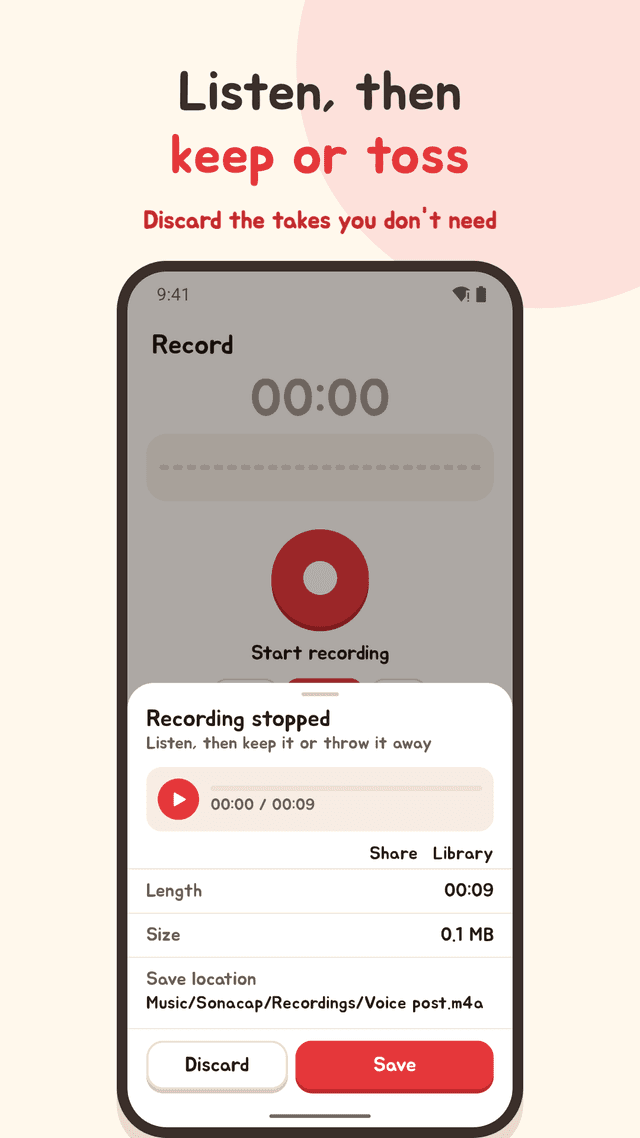
Everything is saved in Music/Sonacap on your phone. Files stay even if you uninstall, and a reinstall can bring old recordings back.
FAQ
- Can I record internal audio on Android without the microphone?
- Yes. Sonacap records the sound other apps are playing straight from inside the phone, using Android's screen-share (MediaProjection) consent. The microphone is never used, so room noise is not mixed in.
- Why does it ask to share my screen?
- Android only allows apps to capture other apps' audio through its screen-share consent, so the "Share your screen?" prompt appears when recording starts. Sonacap saves only the sound, never the screen.
- Why is my recording silent?
- Android blocks recording from calls, video calls and some protected streaming apps, and those recordings save as silence. The live level meter warns you when no sound is coming in, so you notice right away.
- Can I start recording while I'm using another app?
- Yes. Turn on the floating record button and it stays on the side of your screen over any app. Tap it to record; recordings started from it are saved as soon as you stop.
- Can I record a long lecture or live stream?
- Yes. You can pause and resume, long recordings continue in a new file every hour, and you can set an auto-stop timer.
- How do I get just the audio from a video?
- Open Extract and pick the video in the photo picker. Sonacap saves the audio without re-encoding, so it is fast, keeps the same quality and is much smaller than the video. It reads only the video you pick, with no access to all your photos.
- Where are my recordings saved?
- In the Music/Sonacap folder on your phone. They stay even if you uninstall the app, and after reinstalling you can import your old recordings back into the library.
- Is it free?
- Yes. Sonacap is free with ads.
Guides
Sonacap is an independent audio recording app. Recording only starts when you tap, and a notification stays up while recording. Please use recordings for personal purposes and respect other people's rights. Ads are shown by Google AdMob inside the app.