
Where did I park? Answered in one second.
Tap once to save your parking spot with the floor and zone. When you come back, a big arrow and live distance lead you straight to your car, even in a crowded lot or an unknown town.
Get it on Google Play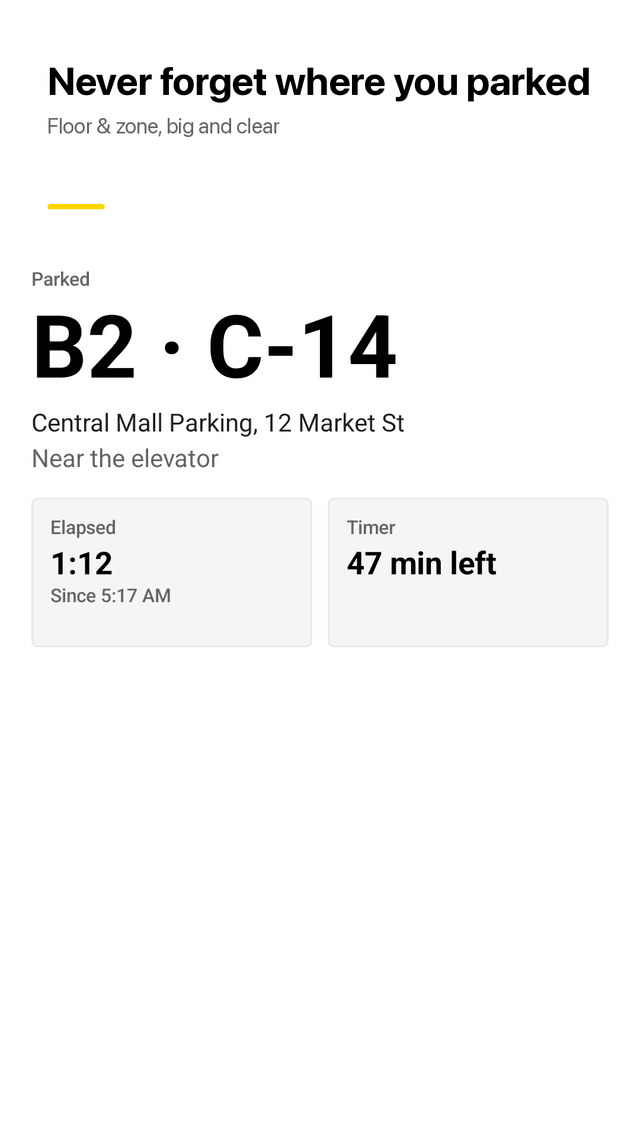
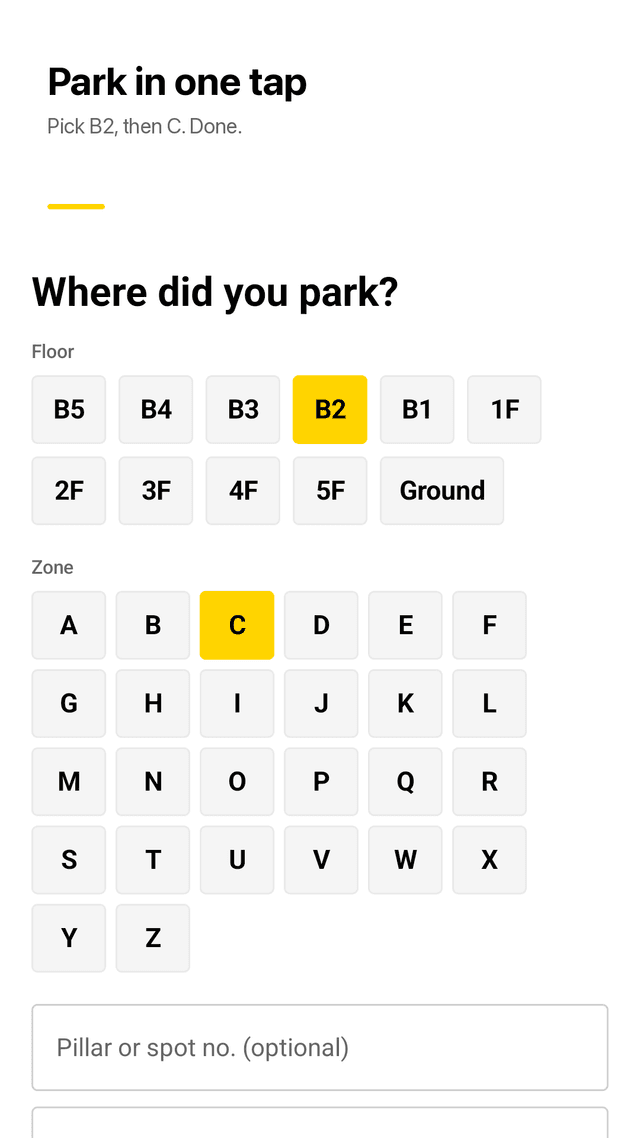
Park in one tap
Pick the floor (B5 to 5F) and zone (A to Z), add a pillar number, note or photo. GPS is saved at the same moment.
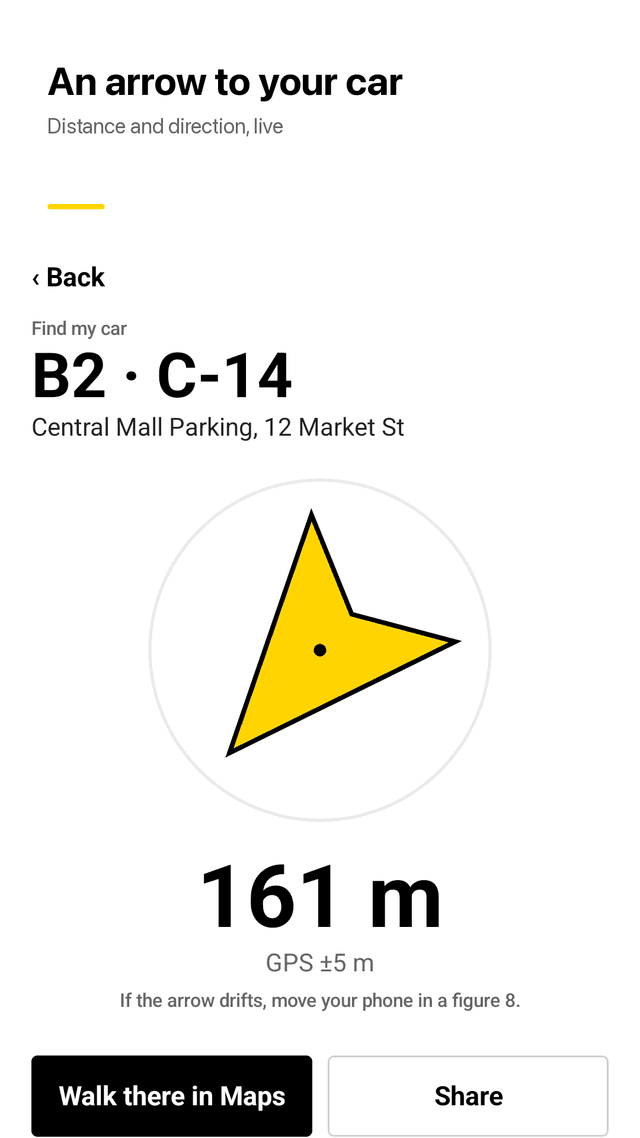
Find my car with a compass
A big arrow points to your parked car with live distance in meters or feet and GPS accuracy shown.
Underground parking ready
No GPS signal underground? Your floor, zone and pillar are always shown in big letters.
Parking timer
Set 30 min to 3 h or any minutes. Get a reminder before the meter runs out and again when time is up.
Bluetooth parking reminder
Choose your car's Bluetooth. When your phone disconnects, Parkdrop asks if you just parked. One tap saves it.
Home screen widget
See where you parked without opening the app, and tap Park here or Find right from the widget.
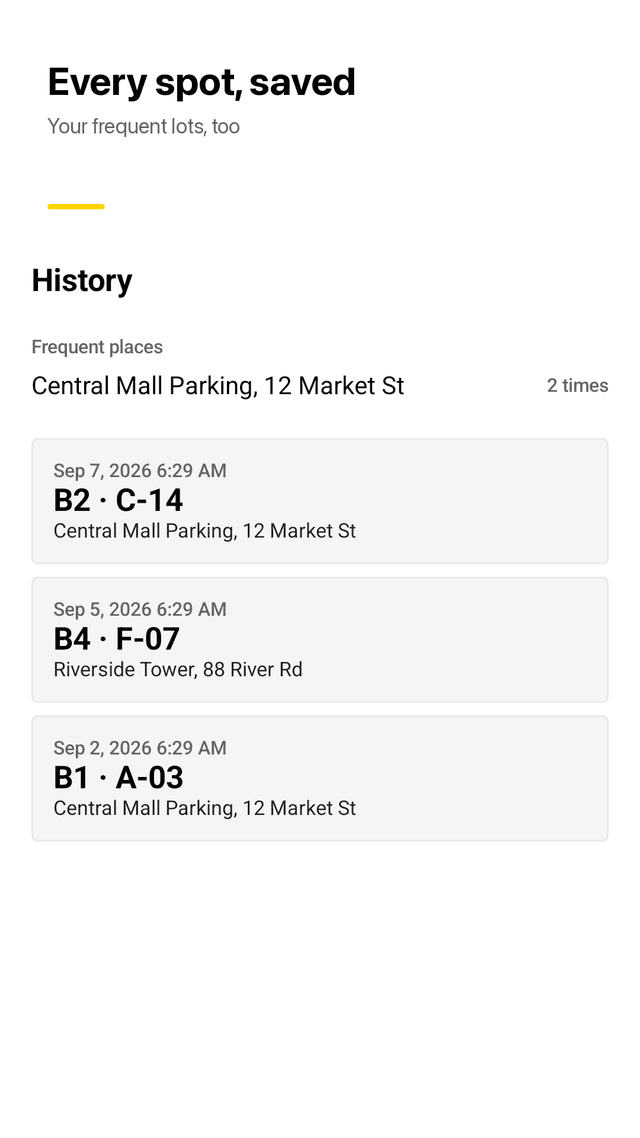
Parking history
Every past spot with date, floor, zone and address, plus the places you park most. Auto-delete after 30 or 90 days.
Walking directions and sharing
Open walking directions in your maps app, or share the spot with a friend.
FAQ
- Where is my car? How does Parkdrop find it?
- When you tap Park here, Parkdrop saves your GPS position. The car finder shows an arrow and distance from where you stand now.
- Does it work in underground parking?
- GPS is weak underground, so Parkdrop keeps the floor, zone and pillar number you picked. Those are always on screen, signal or not.
- Can it save my parking automatically when Bluetooth disconnects?
- Yes. Pick your car's Bluetooth and Parkdrop sends a notification when it disconnects. One tap on it saves the spot.
- Can it remind me before my parking time runs out?
- Yes. Set a parking timer and you get a reminder before the time ends and again when it is up, to help avoid fines.
- Does it show free parking spaces?
- No. Parkdrop remembers where you parked and leads you back. It does not show parking lot availability.
- What if the saved location is a bit off?
- GPS accuracy is shown with every spot. Near the car, the floor, zone, pillar, note and photo help you close the last few meters.
- Do I need an account?
- No. There is no sign-up and your parking records stay on your phone.
- Is it free?
- Yes. Every feature is free and the app is supported by ads.
Guides
Parkdrop is free and supported by ads. Location is read only when you tap Park here or open the car finder, and records stay on your phone. Turn-by-turn directions open in your maps app.