
Your checkbook register, always balanced.
Write each check, card payment, deposit and transfer. Penvale shows the running balance after every entry, just like a paper register, and helps you match it to your bank statement.
Get it on Google PlaySupported by ads · no login · no bank connection · your register stays on your phone
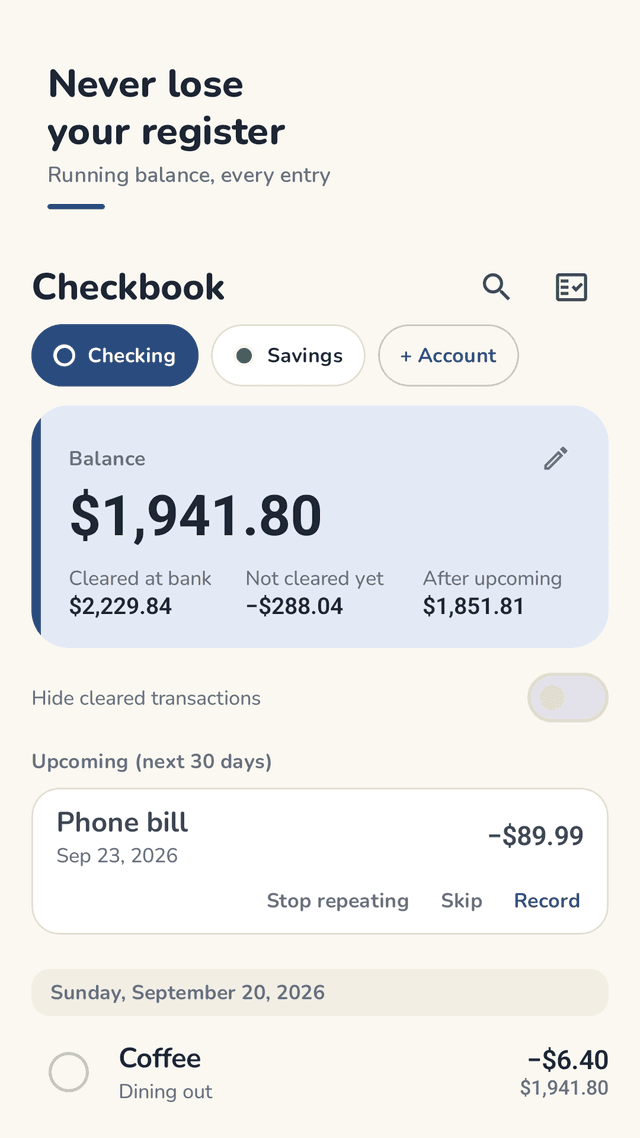
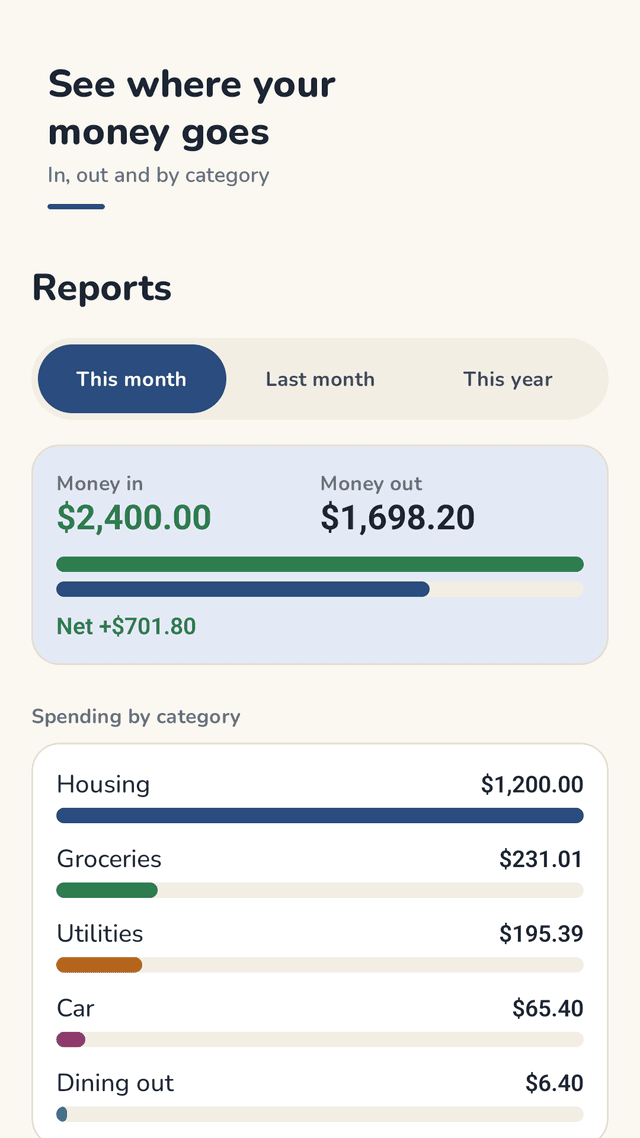
Penvale is an Android checkbook register: a digital version of the paper register that comes with a checkbook. You write down each check, card payment, deposit and transfer yourself, and Penvale shows the running balance after every entry. The balance card at the top splits your money into four numbers: Balance, Cleared at bank, Not cleared yet, and After upcoming, so you can see what the bank already shows and what is still on its way. Recurring bills and paychecks appear as Upcoming items you can record, skip or stop repeating. When your statement arrives, the Balance with bank wizard asks for the closing date and ending balance, you check off what is on the statement, and the Difference counts down to zero. Penvale keeps separate registers for checking, savings, credit card and cash accounts, and shows money in, money out and spending by category. It has no login, no bank connection and no cloud server; your data is saved on your phone, with an automatic daily copy and a backup file you can save anywhere. Penvale is a record-keeping tool, not financial advice.
Running balance after every entry
Like a paper register: each line shows the balance right after it, so you always know where you stand.
Four numbers that explain your balance
Balance, Cleared at bank, Not cleared yet and After upcoming, side by side on one card.
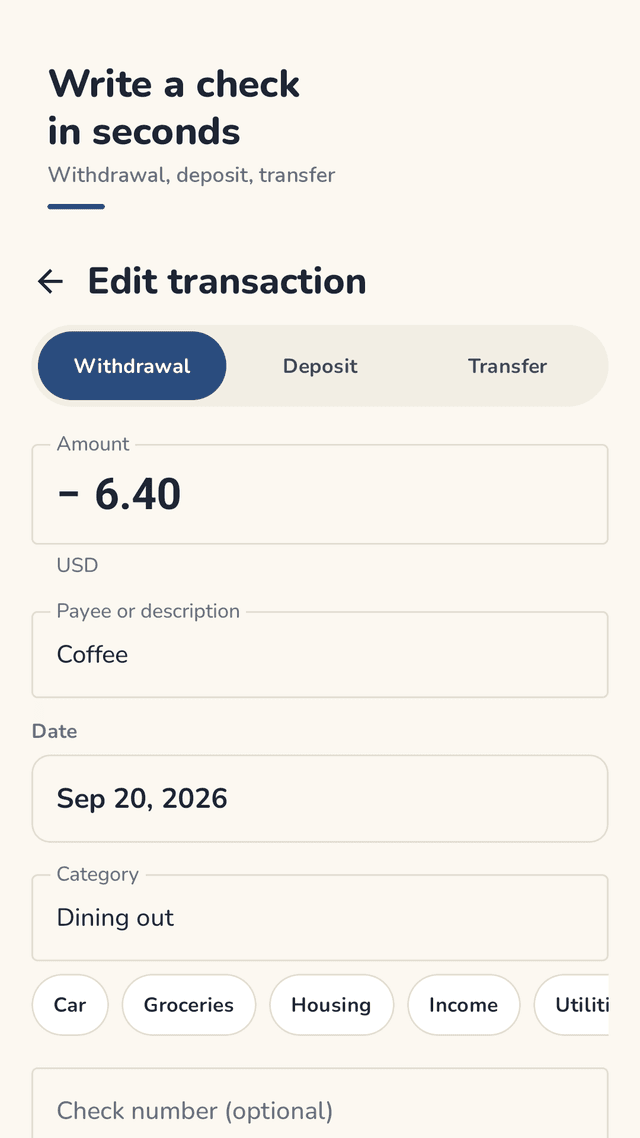
Write a check in seconds
Pick Withdrawal, Deposit or Transfer at the top. Add a check number, category and memo. Type a payee you used before and the category and amount fill in.
Balance with your bank
Enter the statement closing date and ending balance, check off what is on the statement, and watch the Difference count down to zero.
Upcoming bills and paychecks
Set an entry to repeat every week, every 2 weeks, every month or every year. It shows up as Upcoming: Record, Skip or Stop repeating.
Several accounts
Checking, savings, credit card and cash each get their own register. Hide an account to keep its history out of the way.
Find any entry
Search by payee, category, memo, check number or amount, and hide cleared transactions to see only what is still open.
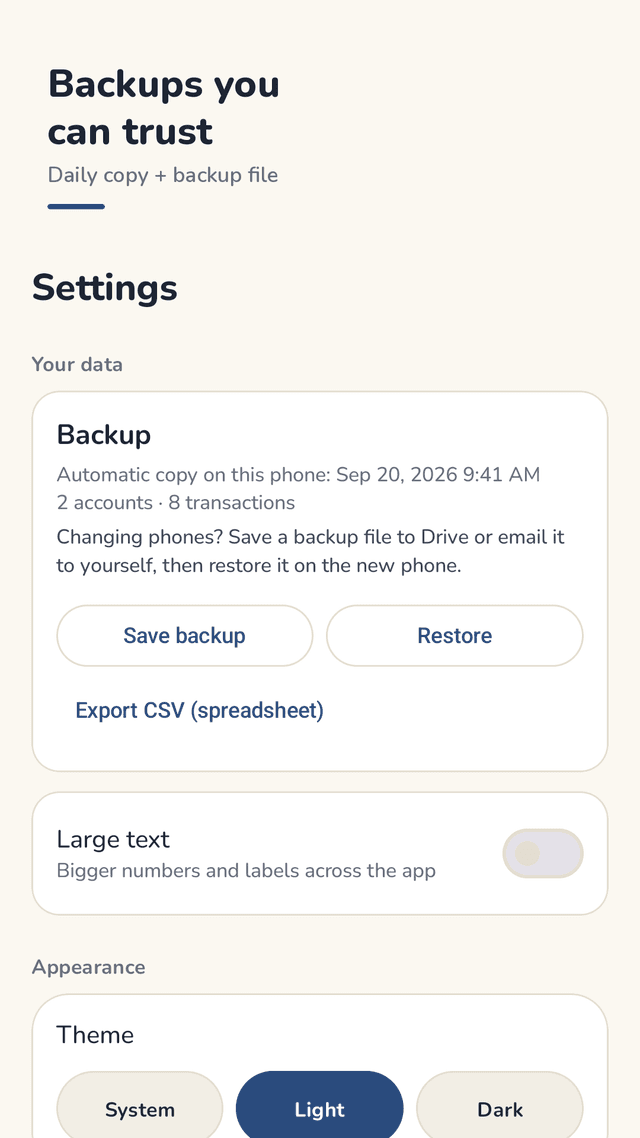
Backups you can trust
Saved on the phone, an automatic daily copy kept for about a week, a backup file you save anywhere, and CSV export.
FAQ
- Can I lose all my data if the app breaks or I change phones?
- Penvale saves every change on your phone and keeps an automatic daily copy there for about a week. For a new phone, tap Save backup in Settings and save the file to Drive, email or any place the Android file picker offers. Keep a recent backup file somewhere other than your phone; it is the copy that survives losing the phone.
- How do I move my checkbook to a new phone?
- On the old phone, open Settings and tap Save backup. On the new phone, install Penvale, tap Restore and pick that file. You see how many accounts and transactions it holds and the latest date before you confirm.
- What if a backup won't restore?
- Penvale checks the file first and tells you if it is not a Penvale backup. Before it replaces anything, it shows a preview of the accounts, transactions and latest date, and it keeps a copy of your current data first.
- How do I reconcile my checking account? Where does the bank balance go?
- Open Balance with bank. Enter the closing date and ending balance from your statement, then check off each transaction that appears on it. The Difference counts down; when it reaches zero your register matches the bank. Tap Finish.
- Can I add new recurring bills at any time?
- Yes. In any new or existing entry, set Repeat to every week, every 2 weeks, every month or every year. It appears under Upcoming, where you can Record it, Skip one time or Stop repeating.
- How do I record a refund?
- Record it as a Deposit in the account the money came back to, with the store as the payee and a memo such as "refund". The balance goes up right away. In reports, deposits count as money in.
- If I delete an account, will other accounts change?
- No. Deleting an account removes that account and its own transactions only. If it had transfers with another account, those entries stay in the other account, so its balance does not change. To keep the history, use Hide account instead.
- The numbers are too small to read. Can I make them bigger?
- Yes. Turn on Large text in Settings for bigger numbers and labels across the app. There is also a light and a dark theme.
Guides
Penvale is a record-keeping tool and does not give financial advice. Balances are calculated from what you enter, not read from your bank. Penvale is not affiliated with any bank. Ads are shown by Google AdMob inside the app, not in the widget or notifications.