See how many days are left — and how much to study today.
Examtock counts down to every test, turns the topics you still need to cover into a daily pace, and keeps your next exam on your home screen. Widget, reminders, colors and icons are all included.
Get it on Google Play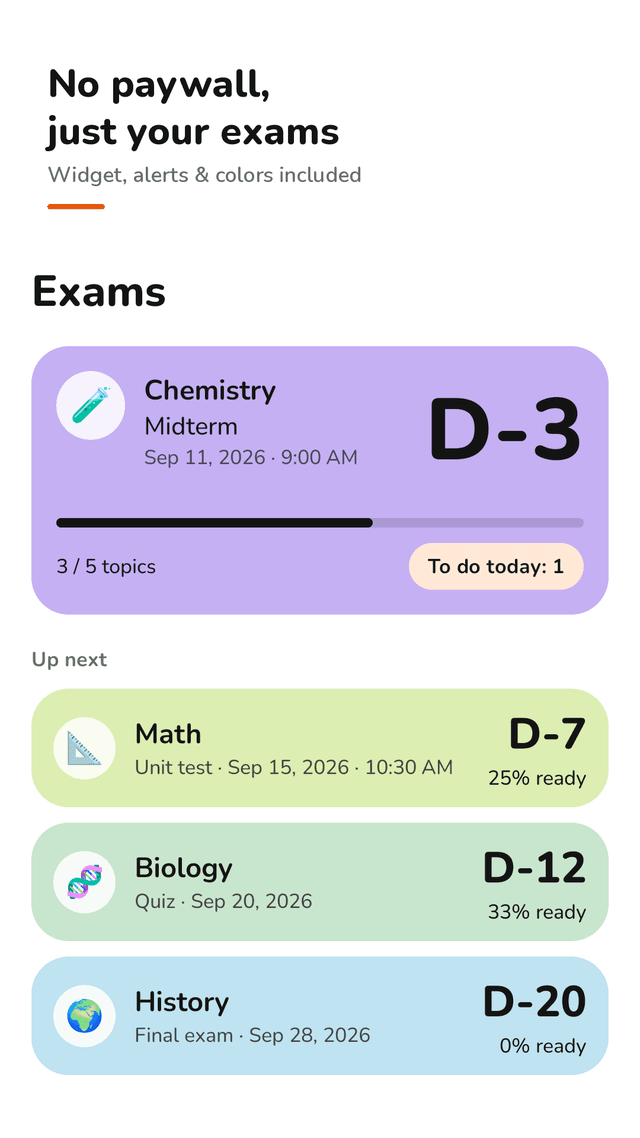
Exam countdown by calendar day
D-7, D-1, Today. Days are counted by date, not by hours, so tomorrow is always D-1 — no more "one day less" surprises.
Topic checklist for each exam
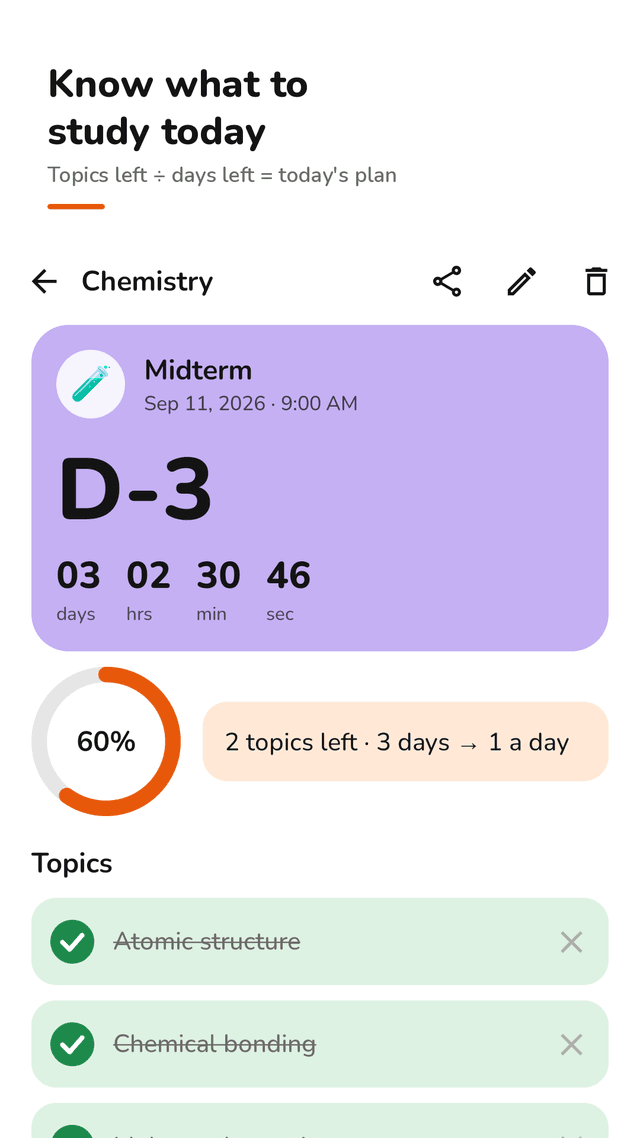
List the chapters on the syllabus, tick them off and watch the progress ring fill.
Today's amount, worked out for you
"8 topics left · 4 days → 2 a day". The pace updates every time you tick a topic.
Study time log
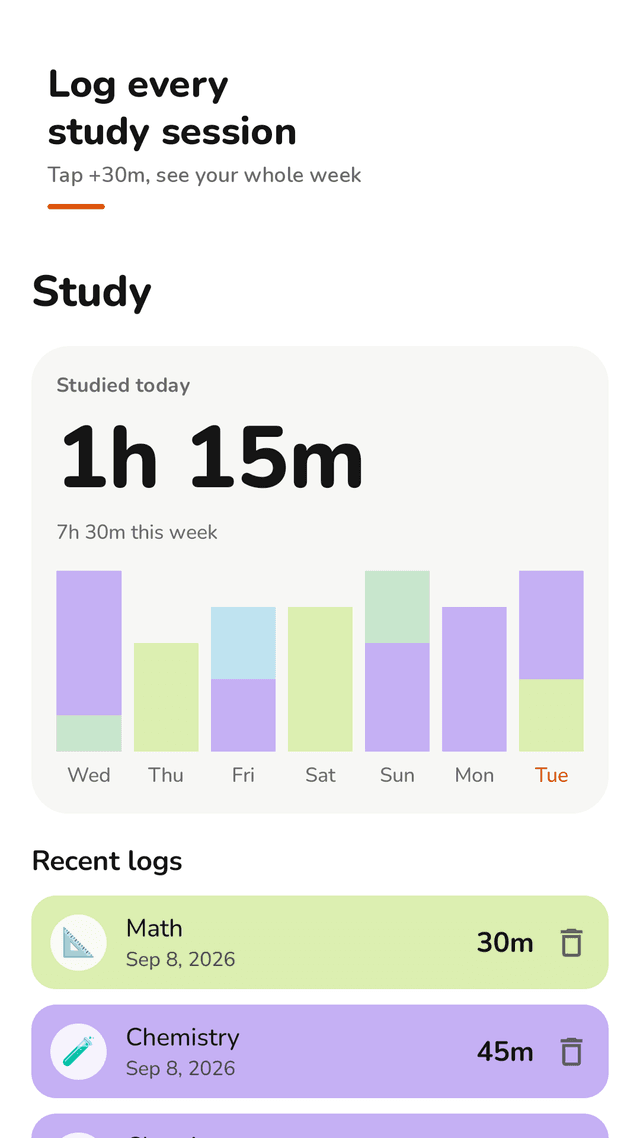
Tap +15m, +30m or +1h after a session. See today's total and a 7-day chart stacked by subject.
Reminders that actually remind you
A heads-up 7 days, 3 days and 1 day before, on the morning of the exam, plus an optional evening study reminder.
Home screen widget, included
Your next exam, or your next three, with days left and progress — no premium needed.
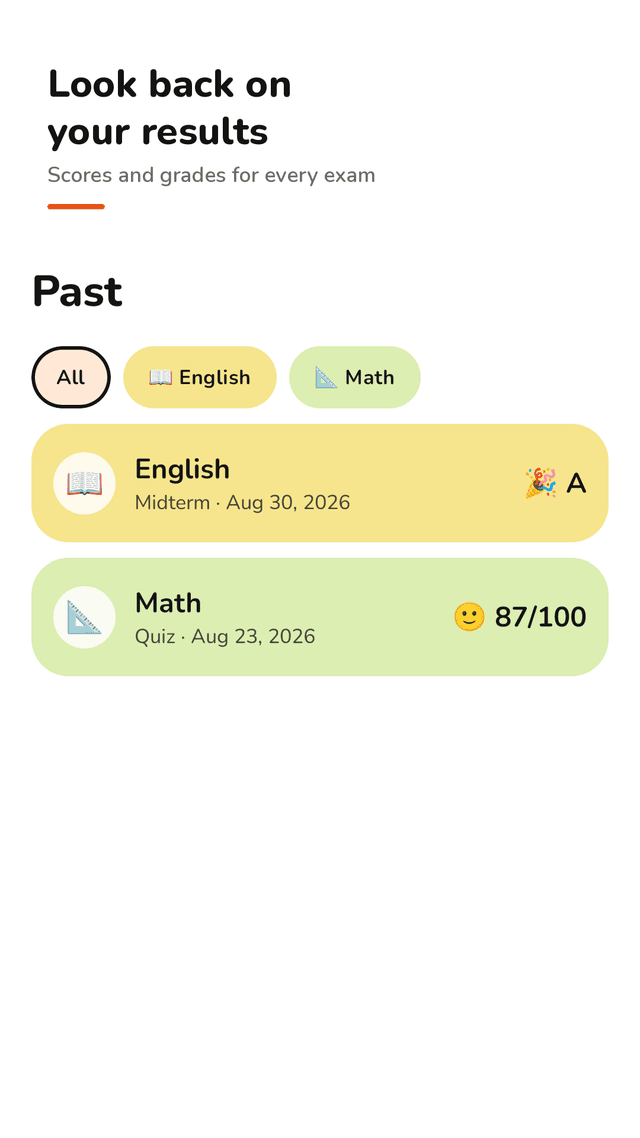
Past exams and results
Save your score or grade when an exam is over and look back on the exams you have completed.
Subjects you set up once
8 pastel colors and emoji icons. Save a subject and reuse it for every new test.
FAQ
- Is the widget really included?
- Yes. The home screen widget, reminders, colors and icons are all open to everyone. Examtock is supported by ads, and there are no ads on the screens where you type.
- Why does another app show one day less than Examtock?
- Some apps count 24-hour blocks from the current time. Examtock counts calendar days, so an exam tomorrow is always D-1, whatever time it is now.
- How does Examtock know how much to study today?
- It divides the topics you have left by the days left before the exam and rounds up. Tick topics off and the number updates.
- Will it remind me before the exam?
- Yes. You get a heads-up 7 days, 3 days and 1 day before, and on the morning of the exam. You can switch reminders off for any exam.
- Do I need an account?
- No. There is no sign-up. Your exams, topics and study logs stay on your phone and work offline.
- Can I use it for GCSEs, SATs or university finals?
- Yes. Any test with a date works: midterms, finals, GCSE and A-level papers, SAT and ACT, driving theory and certification exams.
- Can I record my result after the exam?
- Yes. When the exam date has passed, open it and save your score or grade with a quick reaction. It moves to Past.
Guides
Examtock is supported by ads. Every feature, including the widget and reminders, is open to everyone, and there are no ads on the screens where you type.