Open it. Type one line. Done.
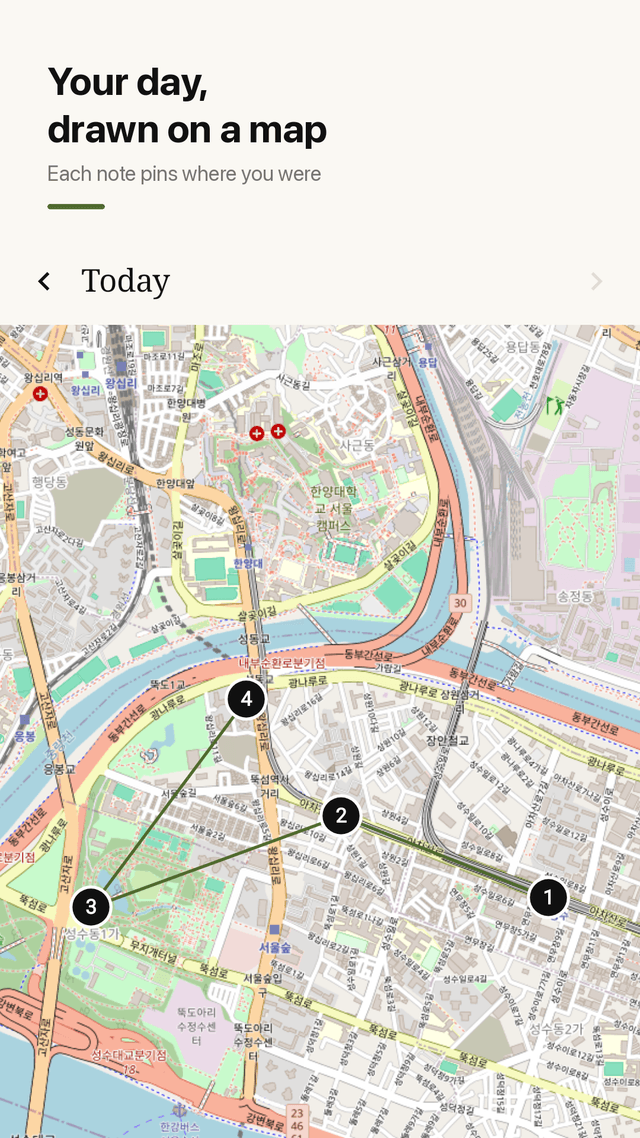
Jotpath opens with the cursor already waiting. Every note lands on a timeline in time order, and each one is pinned where you wrote it, numbered 1, 2, 3 and joined by a line. Switch phones and bring every note with you in one ZIP.
Get it on Google Play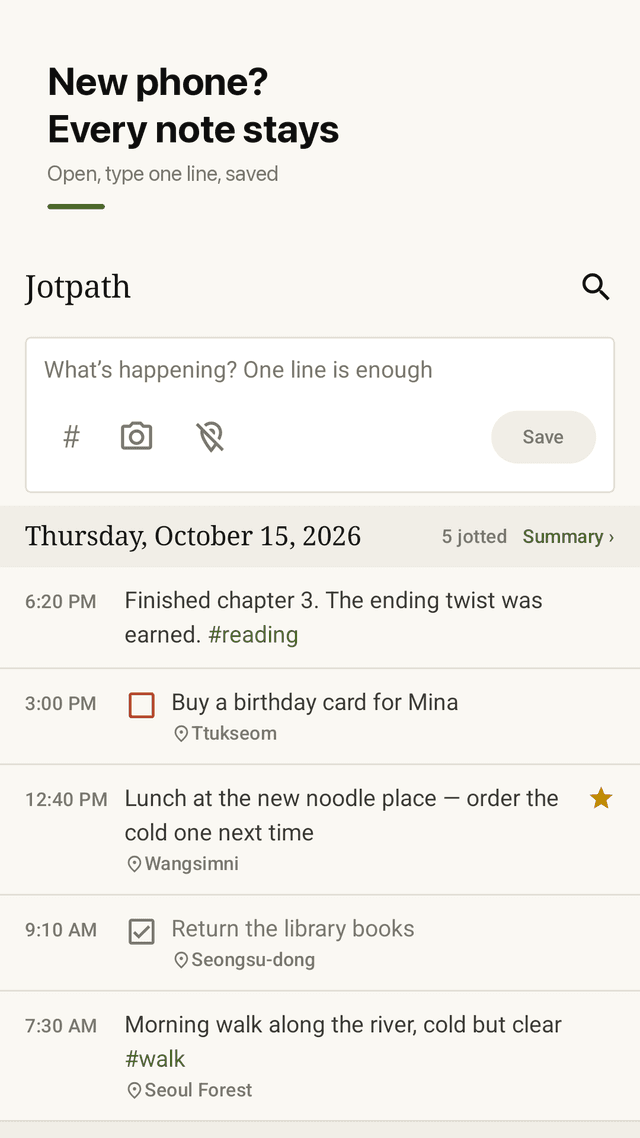
Type the moment it opens
The input box is focused on launch. No folders, no titles: one line and Save.
Timeline diary
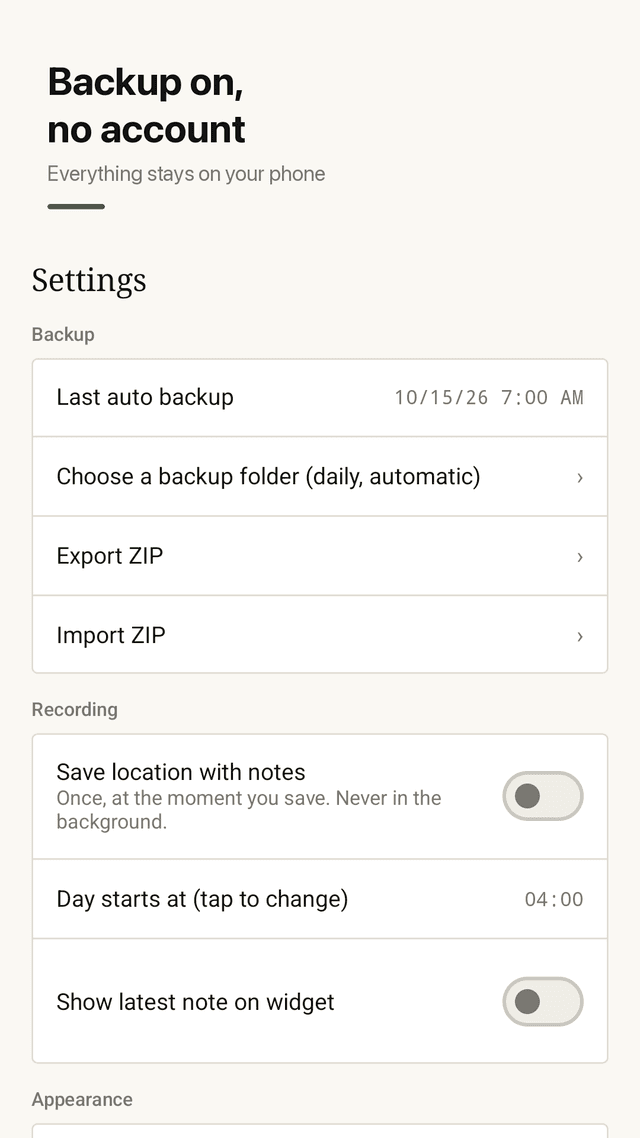
Every note in time order, grouped by day. The day ends at 4 AM by default so late nights stay together, and you can change it.
Your day as a path
Location is read once when you save. Notes show as numbered pins joined by a line on the map. Turn location off any time.
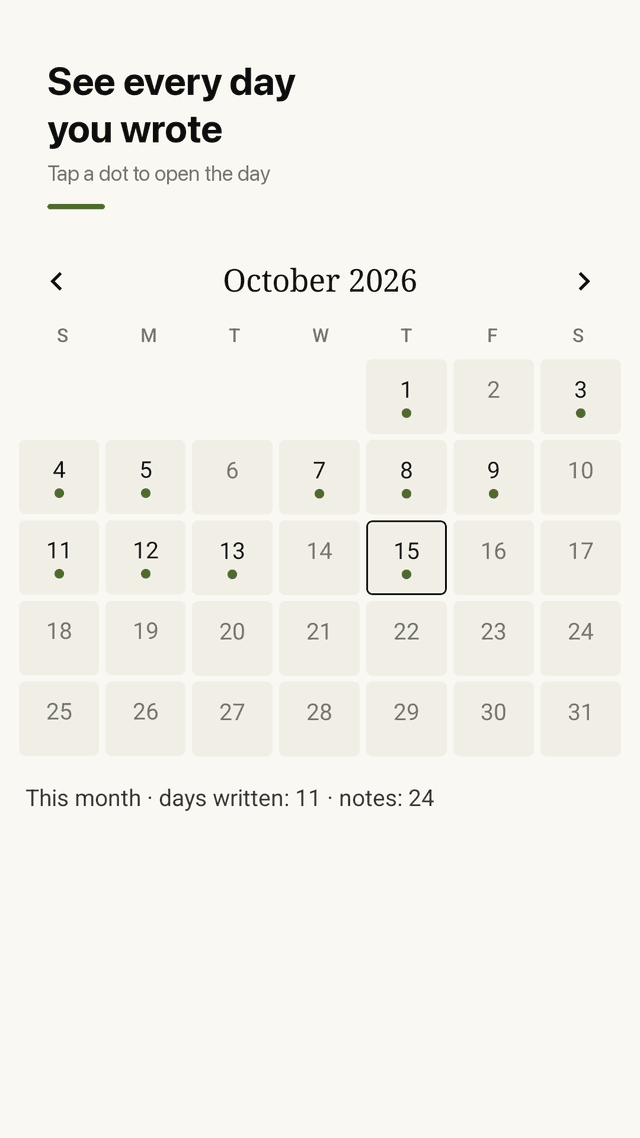
Calendar
Dots on every day you wrote. Tap a day to open its notes.
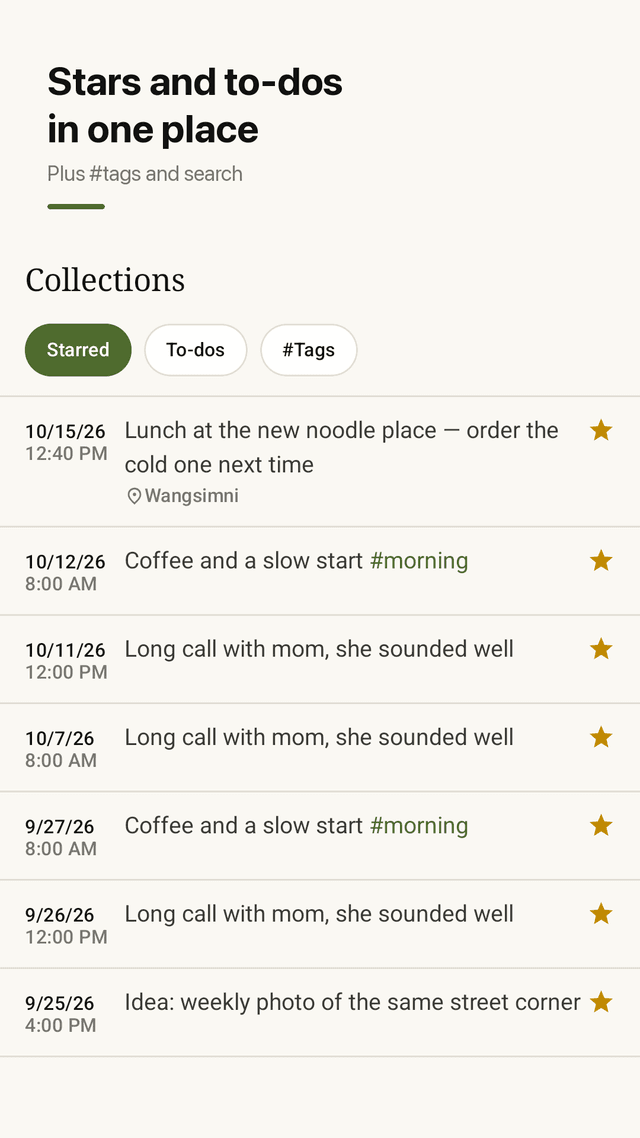
Stars, to-dos and #tags
Mark a note, check it off, tag it, and find it again with full-text search.
Photos
Attach a photo to a note.
Daily auto-backup and ZIP
Backs up every day to a folder you choose. Export and import a ZIP to move to a new phone. No account.
Widget and pinned to-do
Home widget shows today's count and time since your last note. Pin one to-do to the notification shade.
FAQ
- I switched phones and lost all my notes. How do I avoid that?
- Jotpath backs up every day to a folder you pick, and you can export everything as one ZIP. On the new phone, import the ZIP and every note, tag and photo is back.
- Do I need an account or sign-in?
- No. There is no account, no server and no sync. Your notes stay on your device and in the backups you choose.
- Does it track my location in the background?
- No. Location is read once, only at the moment you save a note. You can turn it off in Settings and notes still save normally.
- Why does a note written at 1 AM show under the previous day?
- The day ends at 4 AM by default, so late-night notes stay with the day you lived. You can change the cutoff hour.
- Can I see where I was on a certain day?
- Yes. Open the map for that day: notes appear as numbered pins in order, joined by a line.
- Can I search old notes?
- Yes. Full-text search finds any word, and #tags, stars and to-dos are gathered in Collections.
- Is there a widget?
- Yes. It shows how many notes you wrote today and how long since the last one. Tap it to start typing.
- How is the app supported?
- By ads. There is no account and no subscription to start writing.
Guides
Jotpath is supported by ads. Notes stay on your device; there is no account or server. Location is read only when you save and can be turned off. Map data © OpenStreetMap contributors.