Every event title fits in its day.
A month view you can actually read: titles wrap up to three lines inside each day, so you see your plans without tapping around. Add an event in two taps, with no ad in your way.
Get it on Google Play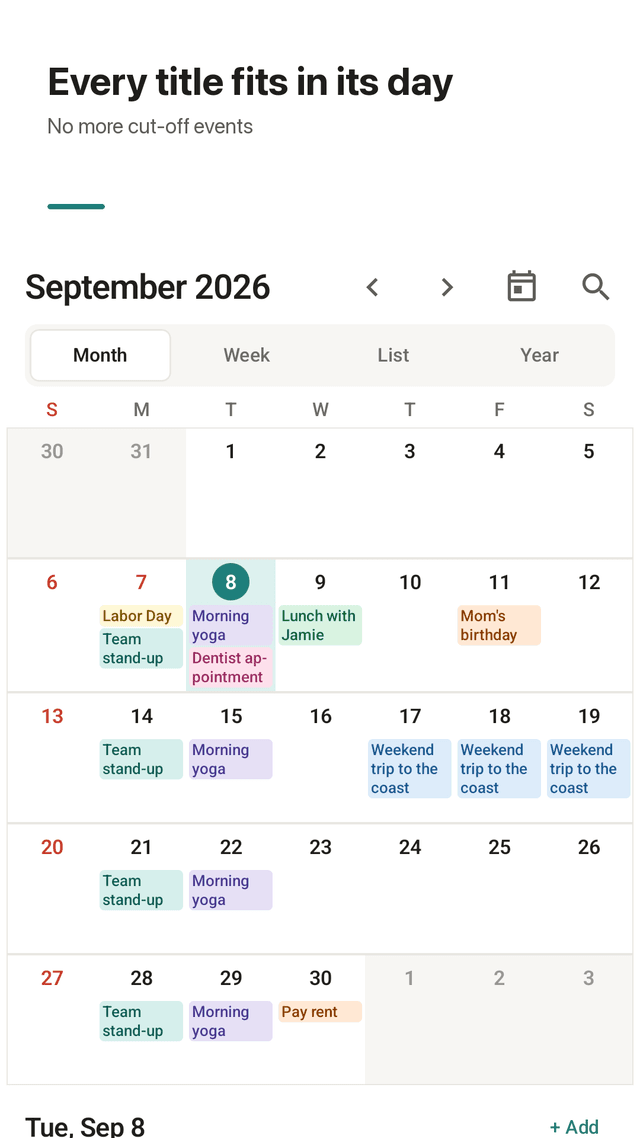
Titles that don't get cut off
Event titles wrap inside each day cell (up to three lines), and long words break with a hyphen instead of turning into "Columbu…".
The whole week on one page
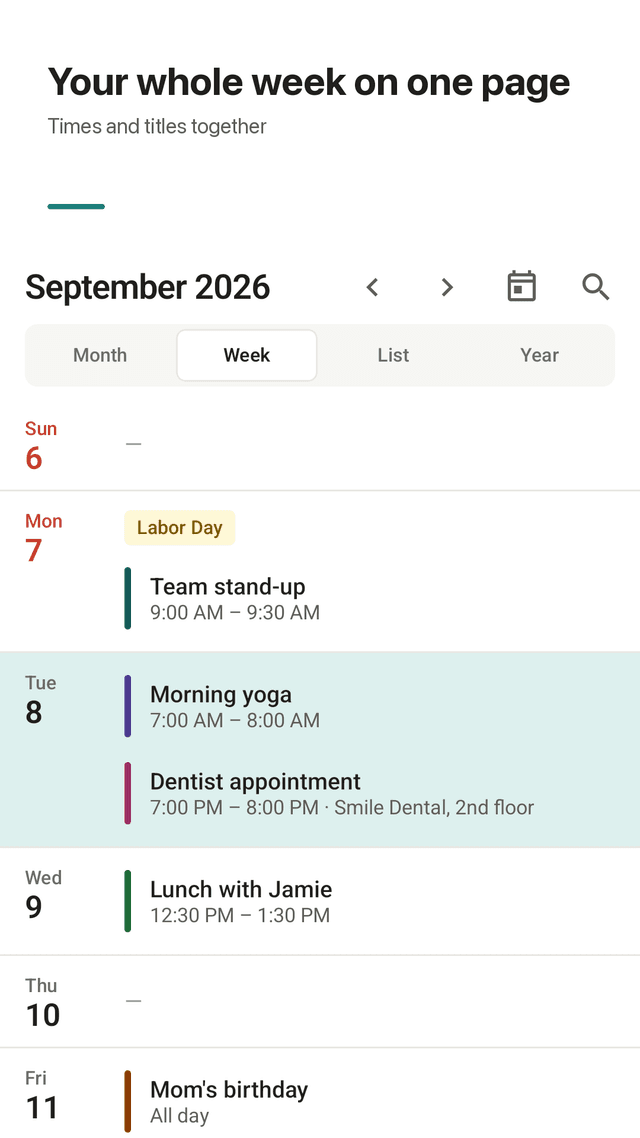
Week view lists all seven days with times and titles together, so you can see where a lunch fits without switching screens.
Add in two taps
Long-press a day to add an event there. Type a title and save; time, reminder and color are filled in for you.
Repeats that match real life
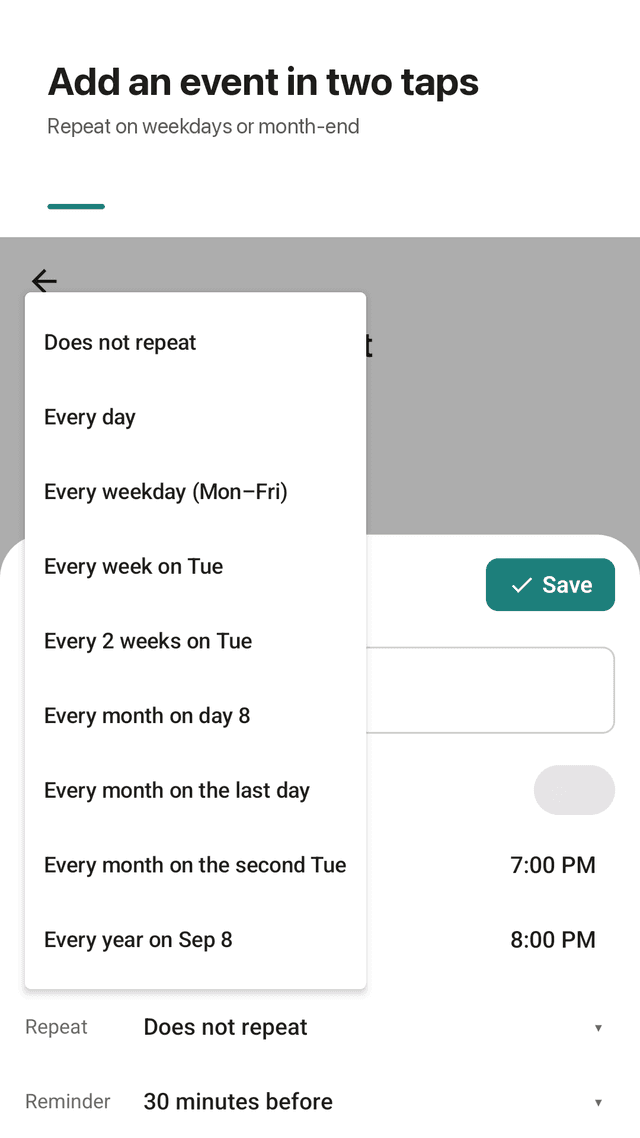
Every day, every weekday (Mon–Fri), weekly, every two weeks, monthly on a date, on the last day, or on the 2nd Tuesday, and yearly.
Holidays calculated every year
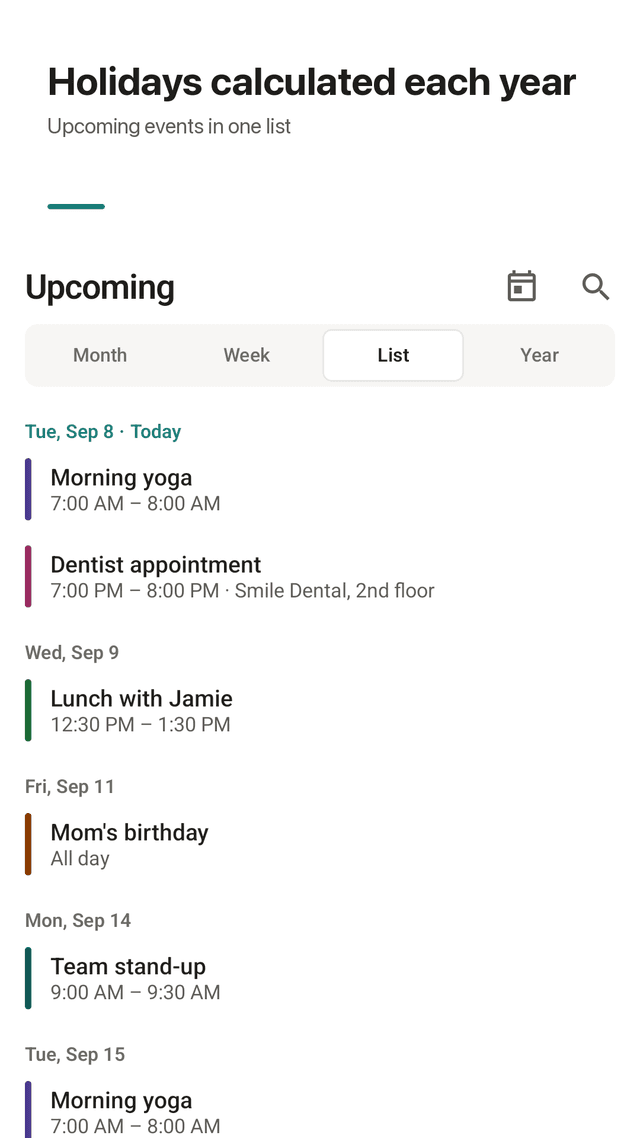
Public holidays for 13 countries, including moving dates like Easter, Thanksgiving, Lunar New Year and Chuseok, plus substitute holidays in Korea and Japan.
Reminders on time
At start, 10 or 30 minutes, 1 hour or 1 day before, plus an optional morning and evening summary.
This week widget
Your next seven days on the home screen with a + button. It updates when you change an event and moves to the new day at midnight.
Your data stays on your phone
No account and no sync to anyone's server. Back up anytime to an .ics file and import it on a new phone.
FAQ
- Why does my calendar cut off event titles in month view?
- Most calendars give each event a single line per day cell, so anything longer than a few characters is truncated. Calendot wraps titles inside the cell and only falls back to one line when a day has three or more events.
- Can I see a whole week on one screen?
- Yes. Week view shows all seven days on one page as a list with times and titles, instead of a narrow time grid.
- Can an event repeat on the last day of the month?
- Yes. Choose "Every month on the last day". A monthly event on the 31st also shows on the last day of shorter months instead of disappearing.
- Does it show public holidays?
- Yes, for 13 countries: the US, UK, Canada, Australia, Germany, France, Spain, Italy, Brazil, Mexico, Japan, Korea and India. Dates are calculated for each year, so they stay correct after this year.
- Do I need an account?
- No. There is no sign-up. Events are stored on your device.
- How do I move my events to a new phone?
- Settings → Backup → Export to .ics file, then open Import .ics file on the new phone. The same file works in most other calendar apps.
- Does it ask for lots of permissions?
- No. It asks for notifications only when you save your first event with a reminder, and it never blocks the app if you say no.
- Are there ads when I add an event?
- No. Opening the event editor never shows an ad, so adding an event is never interrupted.